

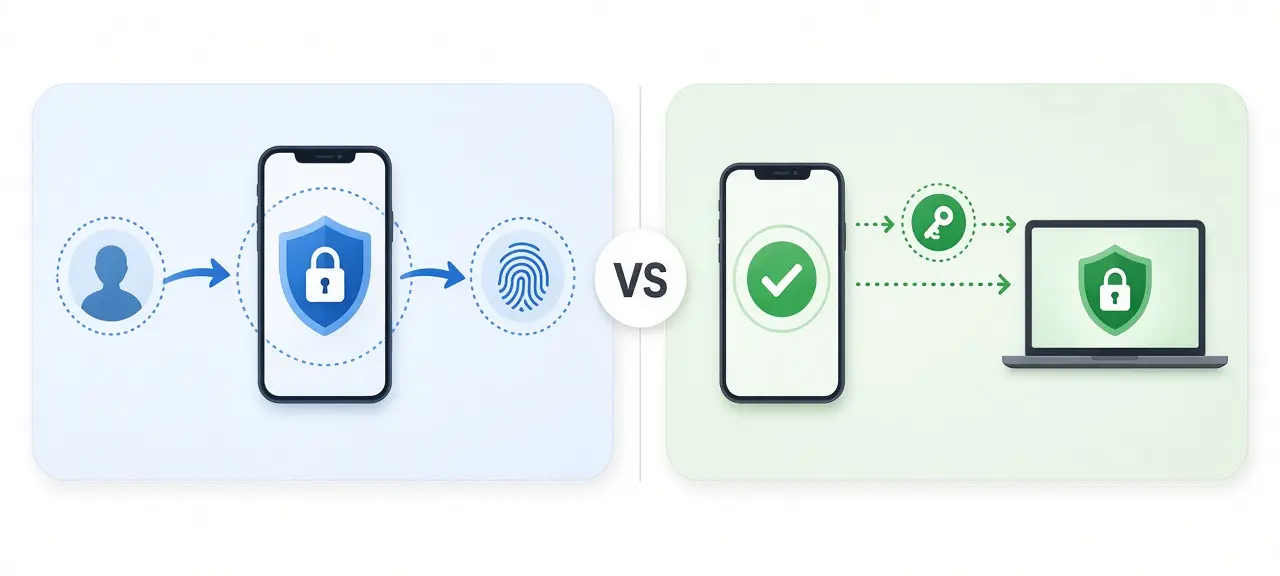
Two-factor authentication (2FA) asks for two different kinds of proof, such as your password plus a phone you hold, while two-step verification only asks for two steps, and both steps can use the same kind of proof. That is what two-factor vs two-step comes down to. Every 2FA sign-in is also a two-step sign-in. The reverse is not true: a password followed by a security question is two steps but one factor, because you know both answers. Google's help page opens with "2-Step Verification, or two-factor authentication," so the menu label tells you little. What decides your safety is the method behind the second step.
The three authentication factors
An authentication factor is a type of proof, and there are three: something you know, something you have and something you are. CISA's "More than a Password" guide is built on these three groups. NIST SP 800-63B-4 requires "two distinct authentication factors" at its AAL2 level, which means one proof from each of two different groups.
| Factor | What it means | Examples | Main weakness |
|---|---|---|---|
| Something you know | A secret kept in your head | Password, PIN, security question | Phishing, reuse across sites, guessing |
| Something you have | A device only you control | Phone that receives a code, authenticator app, security key | Lost or stolen device; SIM swap when the proof is a phone number |
| Something you are | A trait of your body | Fingerprint, face | Can't be changed if copied; only works through a device |
Biometrics need one caveat. NIST states that "a biometric characteristic is not recognized as an authenticator by itself." Your fingerprint does not log you in. It unlocks a phone or a key, and that device then proves possession to the website. A face scan on your phone is something you are plus something you have.
Two-factor vs two-step verification side by side
Two-step verification is any sign-in with two separate steps, of any type. Two-factor authentication, or 2FA, is stricter: the two steps must come from two different factor groups. So 2FA is a subset of two-step verification. A stolen password alone fails against 2FA, while a two-step login only stops it when the second step is a different factor.
| Point | Two-step verification | Two-factor authentication |
|---|---|---|
| Requirement | Two steps, any type | Two different factor types |
| Example | Password + security question; password + email link | Password + authenticator code; password + security key |
| Stops a stolen password? | Only when step 2 is a different factor | Yes |
| Relationship | The broader term | A subset of two-step |
Four everyday cases show where the line falls:
- Password + security question: two-step, one factor. Both are things you know, and answers like the town you grew up in are often visible on social media.
- Password + code sent by email: two-step, and a weak second factor at best. The code proves you can open your inbox, which is guarded by yet another password.
- Password + code from an authenticator app: 2FA. The code is made on a phone in your hand.
- Passkey unlocked with your fingerprint or device PIN: multi-factor in one step. NIST calls this kind of tool a multi-factor authenticator, one that "requires two factors to execute a single authentication event."
Is a text message code a real second factor?
Yes. A code sent by SMS proves you control the phone number, so it counts as something you have, but it is the weakest second factor in common use. NIST SP 800-63B-4 says "use of the PSTN for out-of-band verification is restricted," and Google warns that codes "sent by texts or calls can be vulnerable to phone number-based hacks."
The weak point is the number, not the handset. A number can be moved to another SIM card in a SIM swap or ported to another carrier, and the code follows the number. That is why NIST tells services to weigh risk signals such as a "SIM change, number porting" before they send a code by text. A text code is also easy to read aloud to a caller who claims to be your bank.
Sources disagree on where an SMS code belongs. Some vendor articles file it under something you know, because you type it. This page follows NIST, which treats it as out-of-band verification through a device you hold. Keep the risk in proportion: CISA says "any MFA is better than no MFA," and an SMS code still stops someone who has your leaked password but not your number.
What is a two-factor authentication method? From weakest to strongest
A two-factor authentication method is the way your second proof gets checked: a code by text or email, a code from an authenticator app, a push prompt on a signed-in phone, or a security key or passkey. The methods differ most on phishing resistance, meaning whether a fake login page can capture what you hand over.
| Method | How it works | Phishing-resistant? | Needs signal or data on the phone? | Good for |
|---|---|---|---|---|
| SMS or voice code | A short code, usually 6 digits, sent to your number | No | Yes, cell signal | Backup only |
| Email code or link | A code or link sent to your inbox | No | Yes, inbox access | Low-risk accounts |
| Authenticator app (TOTP) | The app makes a new code every 30 seconds from a secret shared at setup | No | No | Most accounts |
| Push prompt with number matching | You approve the sign-in on a phone that is already signed in, matching a number shown on the login screen | No | Yes, data | Services that offer prompts |
| Security key or passkey (FIDO/WebAuthn) | The key signs a challenge tied to the real site's domain | Yes | No | Email, banking and admin accounts |
The first three rows all rely on an OTP, a one-time password that works for a single sign-in. The 30-second window for app codes is the default time step in RFC 6238, the standard behind TOTP. NIST says plainly that "OTP authentication is not phishing-resistant." A code typed into a fake page can be replayed on the real site before it expires.
NIST defines phishing resistance as stopping secrets from reaching an impostor site "without relying on the vigilance of the claimant." The method protects you even when you miss the fake page, because a security key or passkey checks the site's domain before it answers. CISA states that "the only widely available phishing-resistant authentication is FIDO/WebAuthn authentication." For push prompts, where an attacker with your password can send prompt after prompt, CISA recommends number matching "to block mobile push bombardment and SMS-based attacks."
Why the label matters less than the method
The menu name tells you nothing about strength, because services put "two-step verification," "two-factor authentication" or "multi-factor authentication" on the same kind of switch. Google calls its feature 2-Step Verification, yet it accepts passkeys, hardware security keys, Google prompts, authenticator apps, text or call codes and backup codes as the second step.
A Google account with 2-Step Verification on a security key is far harder to break into than one with 2-Step Verification on SMS, though both settings pages show the same words. Google's help page has a separate section titled "Use passkeys & hardware security keys to increase phishing protection." Open the security page of each account and read which method is active.
What 2FA does not stop
Two-factor authentication stops someone who has only your password. It does not stop an attacker who gets you to hand over the second step, or who steals what the site gives you after you sign in. Three gaps matter most:
- Fake login pages that pass your password and code to the real site in real time, known as adversary-in-the-middle phishing. The page on how man-in-the-middle attacks work explains the mechanism.
- Stolen session cookies. After you sign in, the site keeps a session token in your browser, and malware that copies it can reuse the session without any code.
- Weak account recovery. If a password reset needs only an email link or an SMS code, the recovery path is the real lock on your account.
The defenses are short. Use a passkey or security key on accounts that matter, never read a code to someone who calls you, and check the domain in the address bar before you type a code. NIST notes that earlier versions of SP 800-63 called phishing-resistant protocols "strongly MitM-resistant." That older name describes the first gap exactly.
How to set up 2FA the safe way
Turn on 2FA for your main email account first. Choose a passkey, security key or authenticator app as the main method and keep SMS only as a fallback. Then save backup codes away from your phone and register a second method, so losing one device does not lock you out of your own account.
- Start with your main email. It is the reset address for most of your other accounts, so whoever controls it can take over the rest.
- Pick the strongest method the service offers: passkey or security key first, authenticator app second, SMS last.
- Store backup codes somewhere other than your phone. Google gives a set of 8-digit backup codes you can print or download.
- Register two methods, such as two security keys, or one key plus an authenticator app.
- Before you reset or sell an old phone, move your authenticator codes to the new one and test a sign-in.
- Read your account's recent security activity every few months.
If a sign-in comes from an address you don't recognize, look up an unfamiliar sign-in IP to see its network and country. Then check the IP you are using right now. A sign-in from your own mobile carrier is often just you on mobile data. The city shown for any IP is approximate and often points to the ISP's network, not your street.
Frequently asked questions
Is 2-step verification the same as two-factor authentication?
In most account settings, yes: both names switch on the same feature, and Google uses both for one setting. By strict definition they differ. Two-step verification only needs two steps, while two-factor authentication needs two different kinds of proof. If your second step is a code from your phone or a security key, your account has both.
Is 2FA the same as MFA?
2FA is one type of multi-factor authentication (MFA). MFA means two or more factors from different groups, so a sign-in that asks for a password, a security key and a fingerprint is MFA with three factors. 2FA is MFA with exactly two. Settings menus mix the terms, so a page labeled MFA may still use only two factors.
Is a passkey two-factor authentication?
A passkey covers two factors in one step. It lives on your phone, computer or security key, which is something you have. You unlock it with a fingerprint, a face scan or the device PIN, which is something you are or know. A service can accept a passkey alone because both factors are already inside that single action.
Can 2FA be hacked?
Yes. A fake sign-in page can relay your password and one-time code to the real site while the code is still valid. A scammer can talk you into reading a code aloud, and a SIM swap can redirect text codes. Passkeys and security keys resist the fake-page route because they only answer the real site's domain.
What happens if I lose my phone?
Sign in with a backup code or your second registered method, then remove the lost phone from your account's trusted devices. Without either, you go through the service's account recovery process, which is slower and asks for extra proof. Call your carrier to block the SIM so text codes stop arriving on the lost phone.
Should I remove SMS once I use an authenticator app?
Keep SMS only while you have no other backup. Once your backup codes are stored safely and you have a second strong method, such as a security key, removing the phone number cuts one route an attacker can use to get a code. Check the recovery settings as well, since a phone number listed there can still be used to reset the password.





