

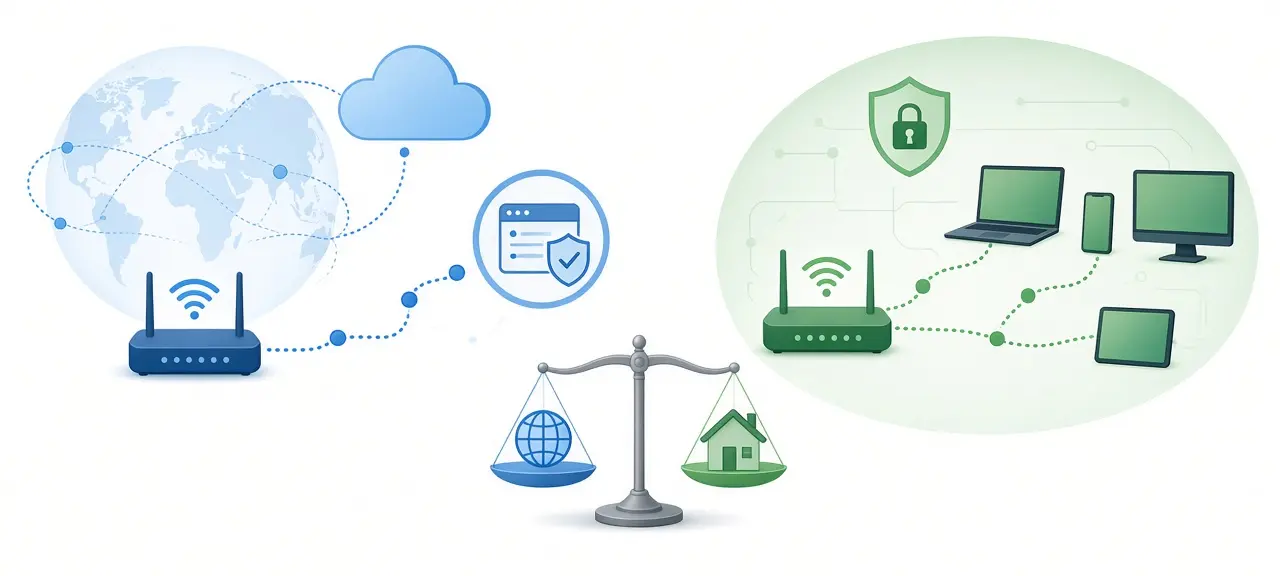
A public IP address is the one your internet provider assigns to your router, and it is what every website sees. A private IP address is the one your router assigns to each device at home, and it never travels across the internet. So the public vs private IP address question comes down to scope: the whole internet versus your own network. Your laptop and your phone share one public IP, but each has its own private IP, such as 192.168.1.23. That is why your computer's settings and an IP checker show two different numbers. If you only want the address websites see right now, check your public IP address on the CheckIP home page.
Public vs private IP address at a glance
A public IP address is assigned by your ISP, is unique on the internet and is visible to every site you visit. A private IP address is assigned by your router, works only inside your local network and is reused in millions of homes. The table puts the public IP and private IP side by side.
| Public IP address | Private IP address | |
|---|---|---|
| Who assigns it | Your ISP, from blocks handed out by a regional internet registry | Your router, through DHCP |
| Where it works | The whole internet | Only your local network |
| Unique? | Yes, one holder at a time worldwide | No, the same address is used in millions of homes |
| Example | 203.0.113.45 | 192.168.1.23 |
| Visible to websites? | Yes | No |
| Cost | Included in your internet plan; a static one usually costs extra | Free, handed out by your router |
| When it changes | When the ISP lease ends or the router reconnects | When the DHCP lease ends or the device rejoins the network |
The public example, 203.0.113.45, comes from a block that RFC 5737 reserves for documentation. It belongs to no real user.
What is a public IP address?
A public IP address is a globally unique address that routers on the internet can deliver traffic to. IANA gives large blocks to five regional internet registries, the registries pass smaller blocks to ISPs, and your ISP assigns one address to your router's WAN port. Every request from your home leaves with that address on it.
You will also see it called an external IP or a WAN IP. Most home plans give you a dynamic public IP. It can change when the router reconnects or when the ISP's lease runs out. A static public IP stays fixed, which helps when you need to reach a home camera or a game server at the same address every day.
Your public IP tells websites your rough location, usually the country and often the city, plus your ISP. It does not reveal your street address or name; only your ISP can match it to a customer account. To see what a given address shows, look up who owns a public IP and read the country and network tied to it.
What is a private IP address?
A private IP address is an address from a reserved range that only works inside a local network. Your router hands one to each device through DHCP. Internet routers don't forward traffic to these ranges, so the same address can exist in your home and your neighbor's without a clash. Local IP and LAN IP are other names for it.
Your router has a private IP too. It is often 192.168.1.1 or 192.168.0.1, and it is the address you type into a browser to open the router's admin page. So a home router has two addresses at once: a private one facing your devices and a public one facing your ISP. If you want the bigger picture of how addressing works, start with what an IP address is.
Private IP address ranges (RFC 1918)
RFC 1918, published in February 1996, reserves three IPv4 blocks for private networks: 10.0.0.0/8, 172.16.0.0/12 and 192.168.0.0/16. Anyone can use them inside a network without asking a registry. Any address inside them is private. Any IPv4 address outside them and outside the special blocks below is public.
| Block | Address range | Number of addresses | Where you usually see it |
|---|---|---|---|
| 10.0.0.0/8 | 10.0.0.0 to 10.255.255.255 | 16,777,216 | Large company and campus networks |
| 172.16.0.0/12 | 172.16.0.0 to 172.31.255.255 | 1,048,576 | Office networks, Docker containers |
| 192.168.0.0/16 | 192.168.0.0 to 192.168.255.255 | 65,536 | Home routers |
IANA keeps the full list of reserved blocks in its IPv4 Special-Purpose Address Registry.
Is 172 a private IP address?
Only part of it. The 172 private IP range runs from 172.16.0.0 to 172.31.255.255. Anything from 172.0.0.0 to 172.15.255.255, or from 172.32.0.0 to 172.255.255.255, is public. So 172.20.5.10 is private, while 172.15.1.1 and 172.32.1.1 are public and routable on the internet.
The /12 sets that boundary: it fixes the first 12 bits, so the second number can only run from 16 to 31. If you use Docker, you'll meet this range often: Docker's bridge network documentation shows containers on the default bridge getting addresses such as 172.17.0.2 and 172.17.0.3.
Special ranges people mistake for private IPs
Three other blocks look private but aren't:
- 127.0.0.0/8 is loopback: 127.0.0.1 always points back to the device itself.
- 169.254.0.0/16 is link-local, defined in RFC 3927. A device gives itself one of these when it can't get an address from the router, so seeing 169.254.x.x usually means DHCP failed.
- 100.64.0.0/10 is shared address space for carrier-grade NAT, defined in RFC 6598. It runs from 100.64.0.0 to 100.127.255.255 and is used inside ISP networks, not by home routers.
Private IP addresses in IPv6
IPv6 has its own private range, called Unique Local Addresses (ULA). RFC 4193 defines it as fc00::/7. In practice these addresses start with fd, because fd00::/8 is the half that networks pick for themselves.
How does NAT connect private IPs to the internet?
NAT (Network Address Translation) is what your router does when a device with a private IP opens a website. The router replaces the private source address with its own public IP, notes the connection in a table, and uses that table to send each reply back to the right device. One public IP can serve dozens of devices.
Think of an office phone system. Callers dial one main number, and the switchboard puts each call through to the right desk extension. The main number is your public IP, the extensions are private IPs, and the switchboard is NAT.
NAT works in one direction by default. A device on the internet can't start a connection to your laptop, because the router has no table entry telling it where to send that traffic. To make a camera reachable from outside, you set up port forwarding on the router. After that, use a port checker to test whether a port is reachable on your public IP.
What is CGNAT, and how do you know if you're behind it?
CGNAT (carrier-grade NAT) is NAT run by your ISP instead of your router. The ISP puts many customers behind one public IP, so your router gets a WAN address from 100.64.0.0 to 100.127.255.255, the shared range set aside by RFC 6598, or sometimes an RFC 1918 address. The public IP websites see then belongs to the ISP's gateway.
You can check this yourself in three steps:
- Open your router's admin page and find the WAN or Internet IP address on its status screen.
- On a device connected to the same router, open the CheckIP home page and note the public IP shown at the top.
- Compare the two. If they match, the public IP is yours alone. If they differ, or the WAN address falls between 100.64.0.0 and 100.127.255.255, you are behind CGNAT or a double NAT (two routers in a row, such as an ISP modem-router plus your own Wi-Fi router).
Behind CGNAT, port forwarding on your own router does nothing, because the ISP's NAT drops incoming connections before they reach you. Remote camera viewing stops working from outside. You have two fixes. Ask the ISP for a public or static IP, which may cost extra. Or use IPv6 if your ISP and devices support it, since IPv6 addresses don't need NAT.
How to find your public and private IP address
Your public IP address appears at the top of the CheckIP home page as soon as it loads. Your private IP can only be found on the device itself, in its settings or with a short command, because websites never receive it. So the answer to "what is my private IP" is always on your own screen.
- Windows: open Command Prompt, type
ipconfigand read the IPv4 Address line under your Wi-Fi or Ethernet adapter. - macOS: in Terminal, run
ipconfig getifaddr en0. Tryen1if it prints nothing. - Linux: run
hostname -Iorip addr. - iPhone and iPad: open Settings, tap Wi-Fi, then the "i" next to your network. The IP Address line is your private IP.
- Android: open Settings, Network & internet, Internet, then the gear next to your Wi-Fi network. Menu names vary by brand.
Screenshots for every system are in our guide on how to find your IP address on any device.
An online private IP address lookup can't work, because NAT swaps your private address for the public one before your traffic reaches any website. To tell whether an address is public or private, compare it with the three RFC 1918 blocks above. That is all a public or private IP checker does.
Is a public or private IP more secure?
A private IP is harder to reach, because devices on the internet can't start a connection to it through NAT. That doesn't make it safe by itself. NAT is not a firewall, so your router still needs a strong admin password and current firmware. Turn off remote management unless you use it.
Watch for UPnP too. When it is on, any app on your network can ask the router to open a port, and the router does it without asking you.
Your public IP is visible to every site you connect to. That's normal. If you'd rather sites didn't see it, a VPN or a proxy replaces it with the server's address. Our guide shows five ways to hide your public IP and how to confirm each one works.
Frequently asked questions
Can two devices have the same private IP address?
Yes, if they're on different networks. Your laptop at 192.168.1.10 and a neighbor's phone at 192.168.1.10 never meet, because each sits behind its own router. On the same network, two devices with one address cause an IP conflict, and one or both lose their connection until the router hands out a new address or you fix the manual setting.
Does my private IP change?
It can. Your router leases each private IP for a set time through DHCP, and a device that rejoins after the lease expires may get a different number. Restarting the router can shuffle addresses too. For a printer, NAS or camera that other devices need to find, create a DHCP reservation in the router so that device always gets the same private IP.
Is 192.168.1.1 a public or private IP?
Private. 192.168.1.1 sits inside 192.168.0.0/16, one of the three RFC 1918 blocks, so no website will ever see it as your address. Thousands of home routers use this exact address on their local side at the same time, and none of them clash. Other common router defaults are 192.168.0.1 and 10.0.0.1.
Can someone find my private IP from my public IP?
Not directly. Your public IP leads only as far as your router, and NAT hides every private address behind it. Someone who knows your public IP can't tell how many devices you have or which local numbers they use. The known exception is WebRTC, a browser feature for voice and video calls, which in some browser setups has let web pages read a device's local address.
Is an IP address starting with 100 private?
Only one slice of it is special. 100.64.0.0 to 100.127.255.255 is shared address space for carrier-grade NAT under RFC 6598. It isn't an RFC 1918 private range, but it isn't routed on the public internet either. Every other address starting with 100, such as 100.20.1.1 or 100.200.1.1, is a normal public IP.





