

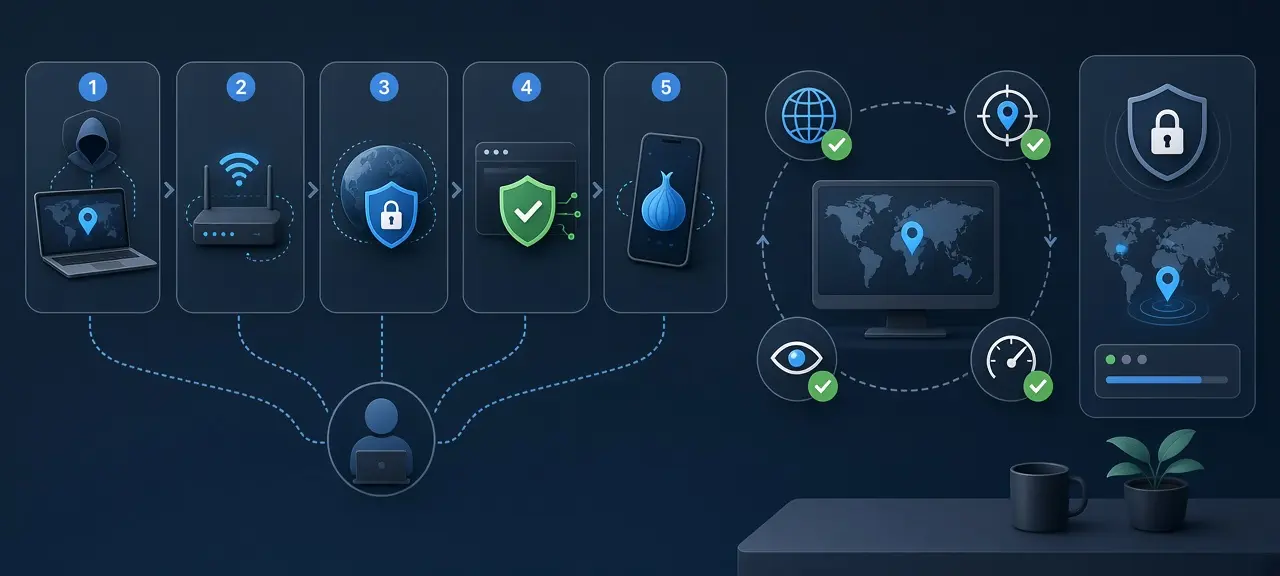
To hide your IP address, send your traffic through another server, such as a VPN, a proxy, the Tor network or a relay like iCloud Private Relay, so websites see that server's IP instead of yours. That is the whole answer to how to hide your IP address. None of these methods hides you from everyone. The VPN or relay operator still sees your real IP, and your ISP still knows you connected to that service. Each method also covers a different part of your device. Before you switch anything on, check your current IP and write it down, then compare it after. A hidden IP only counts if the number, the ISP name and the city all change.
Hiding your IP address vs changing it
Changing your IP means your ISP gives you a new address, for example after a modem restart or a switch to mobile data. Websites still see your ISP and your city. Hiding your IP means websites see the address and location of a server between you and them. Only hiding stops a site from learning who your provider is.
If you only need a fresh number, the steps to change your IP address are on a separate page. They give you another address from the same ISP. They don't hide it.
People who search for a fake IP address usually mean the second case. The word "fake" is misleading: the site sees the real IP of a real server. Nobody can invent an IP for a two-way connection, because the reply has to reach that address. A "fake IP generator" that prints random numbers hides nothing, since your browser still connects from your own IP.
5 ways to hide your IP address compared
A VPN hides your IP for every app on the device, a proxy hides it for one browser or app, Tor Browser hides it behind three relays, iCloud Private Relay covers Safari on Apple devices, and Cloudflare WARP swaps your IP for a Cloudflare one. The real difference is who can still see your actual address.
| Method | What it covers | Encrypted to the server | Who still sees your real IP | Speed | Cost |
|---|---|---|---|---|---|
| VPN | Whole device, all apps | Yes | The VPN provider; your ISP sees you connect to a VPN | Small drop, depends on server distance | Mostly paid; free tiers have limits |
| Proxy (HTTP or SOCKS5) | Only the browser or app you set it in | Usually no (HTTPS sites still encrypt page content) | The proxy operator | Varies by proxy | Free to paid |
| Tor Browser | Tor Browser only | Yes, three layers | The first Tor relay, which does not see the site | Slow | Free |
| iCloud Private Relay | Safari and DNS on Apple devices | Yes | Apple's first relay and your network provider | Small drop | Part of iCloud+ |
| Cloudflare WARP (1.1.1.1 app) | The device, with exceptions | Yes | Cloudflare | Some throughput lost | Free app |
Pick by scope. For the whole device, use a VPN or WARP. For one browser, use a proxy or Private Relay. For the strongest separation between you and the site, and you can live with slow pages, use Tor Browser. Sources: Apple support article 102602, Cloudflare's WARP client FAQ (updated April 17, 2026) and the Tor Project.
Use a VPN to hide your IP on the whole device
A VPN app builds an encrypted tunnel from your device to a server the provider runs. Every app's traffic leaves through that server, so websites, games and email servers see the server's IP. Connect, pick a server location, then reload CheckIP. The IP, ISP and city shown should all belong to the VPN server.
This is also the simplest way to hide my IP online on public Wi-Fi, because the café network sees only encrypted traffic to one server. The tunnel also blocks most man-in-the-middle attacks on shared networks. Judge a VPN service on what it does with your data, not on its ads:
- A no-logs policy that an independent auditor has checked, with the audit report public.
- IPv6 support, or an option that blocks IPv6 while the tunnel is up.
- A kill switch that cuts the connection if the tunnel drops.
- Its own DNS servers, so lookups don't go to your ISP.
- A clear legal entity and country of registration.
Free VPNs need money from somewhere. The provider sees your traffic metadata and can log it, inject ads or sell usage data.
Use a proxy to hide your IP in one browser or app
A proxy forwards requests from one browser or app to the web, so only that program shows the proxy's IP. Everything else on the device keeps using your real address. You set it in the browser, in the app's network settings or in the operating system's proxy settings, with an address, a port and sometimes a login.
Most HTTP and SOCKS5 proxies don't encrypt the link between you and the proxy. On an HTTPS site the page content is still encrypted end to end, but the proxy operator sees which sites you visit. Some proxies also pass your real IP in a header such as X-Forwarded-For. You can test a proxy before you use it to see whether it is alive and how anonymous it is.
Free proxies from public lists carry extra risk. Some are hijacked machines. Others record passwords typed on plain HTTP pages or insert ads. If you typed a password through one, change it and compare two-factor and two-step verification for that account.
Tor Browser: the strongest option, and the slowest
Tor Browser sends your traffic through three volunteer-run relays, encrypted once for each relay. The website sees only the IP of the last relay, called the exit. The first relay sees your IP but not the site, and no single relay knows both ends. Tor Browser is free from the Tor Project.
The cost is speed. Pages load slowly, streaming barely works, and many sites show a captcha or block Tor exit IPs. Tor also cannot hide you once you sign in to a real account. Some networks block Tor. The Tor Project documents "bridges" for that case on its anti-censorship support pages.
iCloud Private Relay and Cloudflare WARP
iCloud Private Relay and Cloudflare WARP are relay features built into a platform you may already use, not standalone VPN services. Private Relay hides your IP in Safari on iPhone, iPad and Mac. WARP replaces your IP with a Cloudflare IP for the device. Both have gaps, listed below.
iCloud Private Relay and mask.icloud.com
Private Relay is part of an iCloud+ subscription and covers browsing in Safari, plus DNS lookups, according to Apple's support article 102602. It uses two relays. Apple runs the first and sees your IP. A third-party provider runs the second, assigns a temporary IP and connects you to the site. Apple says no single party, Apple included, can see both who you are and which sites you visit. Apple also notes the feature "is not available in all countries or regions." You turn it on in the iCloud section of your Apple account settings.
The relay IP is not random. By default it maps to your approximate city, according to Apple's developer guide for network operators, so local results still work. If you saw mask.icloud.com in a router log or a firewall alert and wondered what it is, it is one of two hostnames Private Relay uses (the other is mask-h2.icloud.com). School and company networks that must audit traffic can block those names. Your device then tells you to turn off Private Relay for that network or join another one.
Cloudflare WARP vs 1.1.1.1 DNS
The 1.1.1.1 app has two modes, and only one hides your IP. Setting your DNS to 1.1.1.1 changes who answers your lookups. Websites still see your ISP address. WARP mode is the one that hides it: Cloudflare's FAQ says "1.1.1.1 + WARP replaces your original IP address with a Cloudflare IP." Two exceptions matter. WARP does not proxy WebRTC traffic, and once you give a site microphone or camera access, that traffic bypasses WARP and your original IP shows. Sites that use your location to enforce content licenses may also fail.
What a hidden IP still gives away
Hiding your IP address hides one signal: the network address. Sites and apps still identify you through accounts, cookies, device settings and permissions you granted. Your ISP still sees that you connect to a VPN, proxy or Tor, and the service in the middle sees your real IP. To see what the address alone reveals, read what someone can learn from your IP.
- Signed-in accounts. A logged-in Google or Facebook session tells the site who you are on any IP.
- Cookies and browser fingerprinting. Screen size, fonts and browser version can single out a device.
- GPS. An app with location permission reads your position from the phone, not from the IP.
- Time zone and language. A device set to Vietnam time on a US server IP looks odd to fraud checks.
Private browsing doesn't belong on the list of methods at all. Incognito mode keeps history and cookies off your device after you close the window. It sends traffic from the same IP as a normal tab.
Check that your real IP is hidden: IPv4, IPv6 and WebRTC
To check that your IP is hidden, note your real IP, ISP and city on CheckIP with everything off, then switch the VPN, proxy or relay on and reload. Every field must change. Then look for the two common leaks: an IPv6 address from your ISP, and WebRTC exposing your real IP to sites that use calls.
| Check | How to run it | What a leak looks like |
|---|---|---|
| Baseline | Turn off every VPN, proxy and relay. Open the CheckIP home page and note the IP, ISP, ASN and city. | Not a test, this is your reference. |
| IPv4 | Turn the method on and reload the home page. | The IP or the ISP name is still your home provider's. |
| IPv6 | Read the IPv6 line on the home page if your connection has IPv6. | Your ISP's IPv6 address still shows, so the tool only tunnels IPv4. |
| ISP and ASN | Run the new IP through IP lookup. | The ASN belongs to your home ISP, not to a hosting or VPN network. |
| WebRTC | Limit or turn off WebRTC in the browser, then repeat a video-call test on a site you trust. | A call site still receives your ISP address. |
| Blacklist | Check the new IP against spam lists. | The shared server IP is listed, so expect captchas and blocks. |
An IPv6 leak happens when the VPN tunnels only IPv4 while your device also has a working IPv6 route. Turn on the app's IPv6 blocking, or disable IPv6 on the device for a test. The background on why IPv6 leaks happen is on the IPv4 vs IPv6 page. To confirm the new address belongs to a data center, look up the new IP and read its ASN.
WebRTC is the browser technology behind video calls. RFC 8828 (IETF, 2021) warns that with a VPN that does not route everything, WebRTC "can discover not only the public address for the VPN, but also the ISP public address." To disable WebRTC in Firefox, open about:config and set media.peerconnection.enabled to false. Chrome has no built-in switch. For WebRTC in Chrome, Google publishes the WebRTC Network Limiter extension, which stops WebRTC from using addresses outside the default route. Many VPN apps also have their own WebRTC protection. Turning WebRTC off breaks video calls in that browser.
A shared VPN or proxy IP may already be on spam lists, so check the IP against spam blacklists if sites keep showing captchas. Turn on the kill switch so a dropped tunnel doesn't expose your real IP. Repeat the checks after you change servers or networks.
Is hiding your IP address legal?
Hiding your IP with a VPN, proxy or Tor is legal in many countries, but some countries restrict or license VPN services, so check local law where you live. Illegal activity stays illegal on any IP. A VPN also doesn't exempt you from a website's terms, and many sites block VPN and proxy IPs.
Safety depends more on the tool than on the method. Install VPN and proxy apps only from the developer's site or an official app store, and skip "premium for free" builds shared in forums.
Frequently asked questions
Can I hide my IP address for free?
Yes. Tor Browser is free and hides your IP behind three relays, at the cost of speed. The 1.1.1.1 app with WARP is also free and swaps your IP for a Cloudflare address. Free VPNs exist too, but most cap data or speed, so read the privacy policy first.
Does incognito mode hide your IP?
No. Incognito mode, called private browsing in some browsers, only stops the browser from saving history, cookies and form data on your device after you close the window. Every request still leaves from your normal IP, so websites, your employer's network and your ISP see the same address as in a regular tab.
Can someone find my real IP if I use a VPN?
The VPN provider can, because your device connects to its server directly. Websites normally see only the server IP. They can get your real address if the VPN drops without a kill switch, if IPv6 leaks outside the tunnel, or if WebRTC exposes it. The leak checks above catch all three.
Does hiding my IP hide my location?
It hides the location websites estimate from your IP, which is usually your ISP's city. It doesn't hide GPS location that an app reads from your phone, a delivery address saved in your account, or a time zone that doesn't match the server. A site that combines those signals can still tell roughly where you are.
How do I hide my IP address on my phone?
Install a VPN app from the official app store, or use the 1.1.1.1 app with WARP on Android or iPhone. On an iPhone with iCloud+, Private Relay covers Safari. Switching from Wi-Fi to mobile data only gives you a different carrier IP, and websites still see the carrier and your region.





