

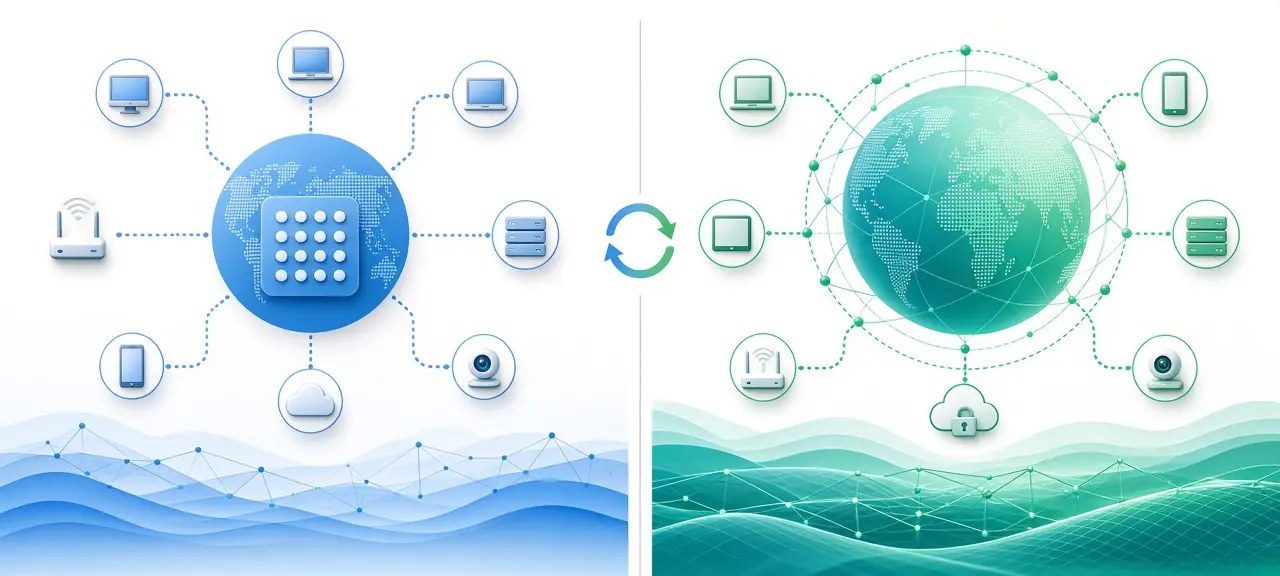
IPv4 and IPv6 are two versions of the Internet Protocol, and the main difference is address size: 32 bits against 128 bits. In IPv4 vs IPv6, that one number decides whether your devices must share a single public address through NAT (IPv4) or can each get a public address of their own (IPv6). Most home and mobile connections now run both at once, and your device picks one for each website it opens. Google, YouTube and Facebook answer over IPv6 when your network supports it; a site with no IPv6 record answers only over IPv4. To compare the table below with your own connection, check your IPv4 and IPv6 address on the CheckIP home page.
IPv4 vs IPv6 difference table
The biggest IPv4 vs IPv6 difference is address length, 32 bits against 128 bits. The protocols also differ in how devices get addresses, how packets are built and whether a home network needs NAT. The table compares 14 features, using documentation addresses reserved by RFC 5737 and RFC 3849 instead of real ones.
| Feature | IPv4 | IPv6 |
|---|---|---|
| Address length | 32 bits | 128 bits |
| Example | 203.0.113.45 | 2001:db8::1 |
| Number of addresses | About 4.3 billion (232) | About 3.4 × 1038 (2128) |
| Notation | Four decimal numbers separated by dots | Eight hexadecimal groups separated by colons, with :: shortening |
| Header | 20 to 60 bytes, with a checksum | Fixed 40 bytes, no checksum, optional extension headers |
| Address setup | DHCP or manual | SLAAC, DHCPv6 or manual |
| What your ISP gives your home | One public address, sometimes shared through CGNAT | A block of addresses (a prefix) |
| NAT at home | Almost always | Not needed |
| Fragmentation | By routers and the sending device | Only by the sending device, using Path MTU Discovery |
| Broadcast | Yes | No, replaced by multicast |
| Finding neighbors on the LAN | ARP | Neighbor Discovery (ICMPv6) |
| Loopback | 127.0.0.1 | ::1 |
| Private range | 10.0.0.0/8, 172.16.0.0/12, 192.168.0.0/16 (RFC 1918) | Unique local addresses, fc00::/7 (RFC 4193) |
| DNS record | A | AAAA |
For a home user, two rows change daily life: NAT and address setup. The loopback row is the address a computer uses to reach itself; see our guide to localhost and 127.0.0.1.
What is an IPv4 address?
An IPv4 address is a 32-bit number written as four decimal values separated by dots, such as 203.0.113.45. IPv4 was defined in RFC 791 in September 1981. It still carries a large share of internet traffic because every device, router and website supports it, including printers and cameras that will never get IPv6.
Its weak point is supply: 4,294,967,296 addresses in total. IANA handed its last free IPv4 blocks to the regional registries on 3 February 2011. The pillar guide shows how an IP address is written, octet by octet.
What is an IPv6 address?
An IPv6 address is a 128-bit number written as eight groups of hexadecimal digits separated by colons, usually shortened to forms like 2001:db8::1. The current standard is RFC 8200, published in 2017. Your ISP normally assigns your home a whole block of IPv6 addresses, called a prefix, instead of one address.
A single /64 block holds 264 addresses, over 4 billion times the entire IPv4 internet. Many ISPs give residential lines a /56, which is 256 separate /64 networks. If the slash notation is new, here is what a subnet and prefix are.
One device also holds several IPv6 addresses at once: a link-local address starting with fe80 for the local network, a global address, and temporary addresses that rotate for privacy.
Key differences that matter in practice
In daily use, the differences you notice come from NAT, automatic setup and the firewall. An IPv4 home hides every device behind one shared public address. An IPv6 home gives each device its own public address and relies on the router's firewall to block unwanted traffic. Header changes mostly help routers.
NAT and reachability
Over IPv4, your router translates each device's private address into one public address. Many ISPs add carrier-grade NAT (CGNAT), which shares one public IPv4 address among several customers. Nothing outside can reach your devices unless you forward a port, and behind CGNAT you can't. Our guide to public vs private IP addresses shows how to spot CGNAT. Over IPv6 there is no translation. A camera or NAS with a global address accepts incoming connections when the router's firewall allows them.
Automatic address setup
IPv4 devices get an address from a DHCP server, usually the router, which keeps a lease table. IPv6 adds SLAAC, stateless address autoconfiguration (RFC 4862). The router announces the prefix, and each device builds its own address inside it. Many networks also run DHCPv6 to hand out DNS servers.
Headers, fragmentation and routing
The IPv4 header is 20 to 60 bytes and carries a checksum every router recalculates at each hop. The IPv6 header is a fixed 40 bytes with no checksum. Routers never split IPv6 packets. An oversized packet is dropped with an ICMPv6 "Packet Too Big" message, and the sender resizes it. Every IPv6 link must carry at least 1,280 bytes.
Firewall, not NAT, protects IPv6 devices
IPv4 NAT blocks unsolicited incoming traffic as a side effect, so people treat it as security. IPv6 has no NAT, so the router's stateful firewall does that job: it lets in replies to connections your devices started and drops the rest. Check the IPv6 or security page of your router's admin panel to confirm it's on. Then port scan your own IPv6 address from outside. Only scan devices you own.
Is IPv6 faster than IPv4?
IPv6 is not faster than IPv4 by design. Speed depends on the route your ISP and the website use, how busy each path is and how far away the server sits. On some networks IPv6 is slightly quicker because it skips CGNAT equipment. On others the IPv4 route is shorter. There is no fixed rule.
Your device doesn't bet on one protocol anyway. Happy Eyeballs (RFC 8305) makes it try IPv6 first and, if that hasn't connected within a short delay (the RFC recommends 250 milliseconds), start an IPv4 attempt in parallel. The first to connect is used. Disabling IPv6 rarely speeds anything up.
To test your line, run the CheckIP speed test and ping test with IPv6 on, then off, three or four times each.
IPv4 vs IPv6 for gaming on Xbox, PS5 and PC
IPv6 doesn't lower your ping by itself. Game latency depends on the distance to the game server and your ISP's routing. Where IPv6 can help is NAT. Consoles report a NAT type in their network test, and a restrictive result usually comes from IPv4 NAT or CGNAT between you and other players.
Xbox shows Open, Moderate or Strict. PS5 shows Type 1, Type 2 or Type 3. Peer-to-peer traffic can skip address translation over IPv6, but only if the game supports it, which is the developer's choice. Keep IPv6 on for gaming, and turn it off only to test one game that won't connect.
Is IPv6 more secure or more private than IPv4?
IPv6 is not automatically more secure than IPv4. A common claim says IPv6 requires IPsec encryption. RFC 4294 did list IPsec as a MUST in 2006, but RFC 6434 lowered it to a SHOULD in 2011, and RFC 8504 kept it that way in 2019. IPv4 runs IPsec too, mostly inside VPNs.
Privacy has improved. Early IPv6 built part of the address from the network card's MAC address (EUI-64), so a laptop could be recognized on any network. Current Windows, macOS, iOS and Android create temporary addresses for outgoing traffic instead, and RFC 8981 sets a default of one day before a new one takes over.
Two risks remain. A VPN that only tunnels IPv4 can leak your real IPv6 address: with the VPN on, reload the CheckIP home page, and if your ISP's IPv6 address still shows, it's leaking. Our guide on how to hide your IP lists VPN settings that stop this leak. Location data is also less consistent for IPv6: when you look up any IPv4 or IPv6 address from the same connection, the two cities can differ.
How IPv4 and IPv6 work together
IPv4 and IPv6 can't exchange packets directly because their headers and address formats differ. Networks bridge the gap in three ways. Dual-stack devices run both protocols. NAT64 with DNS64 translates between them. 464XLAT keeps IPv4 apps working on mobile networks that hand out only IPv6.
Dual-stack
On a dual-stack connection, your device holds an IPv4 address and at least one IPv6 address. DNS returns a site's A record for IPv4 and AAAA record for IPv6. With both, the device starts with IPv6. With only an A record, it uses IPv4. Our guide to how DNS works explains these records in more detail.
What purpose does NAT64 serve in IPv6?
NAT64 lets a device that has only IPv6 reach a server that has only IPv4. DNS64 (RFC 6147) creates an AAAA record for the IPv4-only site by placing its IPv4 address inside the prefix 64:ff9b::/96. The NAT64 gateway (RFC 6146) then translates the packets. For example, 192.0.2.33 becomes 64:ff9b::c000:221.
464XLAT on mobile networks
NAT64 only helps apps that look up a domain name. An app that connects straight to an IPv4 address would fail. 464XLAT (RFC 6877) fixes that: a small translator on the phone turns IPv4 packets into IPv6, and the carrier's NAT64 turns them back. That's why a phone on mobile data can show only IPv6 while IPv4-only apps still work.
Is my IP address IPv4 or IPv6? How to check
To see whether your connection uses IPv4, IPv6 or both, start with a browser test, then check the device and the router. The browser shows what websites see. Device settings list the addresses the system holds. The router shows whether your ISP delivers IPv6 to your line at all.
In your browser
Open the CheckIP home page. An address with dots is IPv4, and one with colons is IPv6. No IPv6 address means your ISP or router hasn't enabled it, and every site still works over IPv4. For a second opinion, test-ipv6.com runs a set of checks and scores your connection's IPv6 readiness.
On Windows and macOS
On Windows, open Command Prompt and run ipconfig. "IPv6 Address" is the global address, "Temporary IPv6 Address" is the rotating one used for browsing, and "Link-local IPv6 Address" starts with fe80 and never reaches the internet. On macOS, open System Settings, choose Network, select your connection, click Details and open TCP/IP. Our guide to find the IP address on your computer has full steps.
On iPhone and Android
On iPhone, open Settings, tap Wi-Fi, then tap the (i) next to your network. IPv6 addresses appear in their own section when the network provides them. On Android, the menu path varies by brand, but the details screen of the connected Wi-Fi network lists them.
On your router
Log in to the router's admin page and open the WAN or internet status screen. If your ISP delivers IPv6, you'll see a WAN IPv6 address and a delegated prefix such as 2001:db8:1200::/56. An empty IPv6 section means the service isn't active on your line.
Should you disable IPv6?
No, not as a general fix. Microsoft's guidance for configuring IPv6 in Windows says it doesn't recommend disabling IPv6 or its components, because some Windows components might not function. If an app struggles with IPv6, Microsoft recommends setting Windows to prefer IPv4 over IPv6 instead.
Before you blame IPv6, rule out the usual causes:
- Slow page loads or failed lookups: change the device's DNS servers first.
- Dropouts after a router update: install newer firmware, or restart the router so it requests a fresh IPv6 prefix.
- A VPN that leaks your real address: check whether it supports IPv6 and turn on its leak protection.
- One old app or device that fails: disable IPv6 on that device only, as a test.
For a home network, leave IPv6 on. A second router behind the ISP's modem needs IPv6 and prefix delegation enabled, or devices behind it stay on IPv4.
Frequently asked questions
Can IPv4 and IPv6 talk to each other directly?
No. An IPv4-only device can't open a connection to an IPv6-only server, or the other way around, because the packet formats don't match. Dual-stack devices hide this by using whichever protocol a server supports. Trouble shows up mainly on old smart TVs and printers with no IPv6 support.
Why does my device have several IPv6 addresses?
Each network interface keeps one link-local address, one global address for every prefix the router announces, and temporary addresses. Old temporary addresses stay listed as "deprecated" so open connections can finish, which is why ipconfig can show five or more lines. That's normal.
Is 2001:db8:: a real address?
No. RFC 3849 reserves 2001:db8::/32 for documentation, so it appears in manuals and articles but is never routed on the internet. IPv4 has three similar ranges in RFC 5737: 192.0.2.0/24, 198.51.100.0/24 and 203.0.113.0/24. Finding 2001:db8 in a real device's settings means someone copied an example.
Will IPv4 stop working?
Not on any set date. Most large websites and ISPs run dual-stack, and IPv4-only content stays reachable from IPv6-only networks through NAT64. Vietnam's IPv6-only program, for example, runs from 2026 to 2030 and targets 90 to 100 percent IPv6 use by 2030, according to VNNIC. Home users will see the change happen inside ISP networks.
Does IPv6 change the IP address websites see?
Yes, for sites that support IPv6. A website reached over IPv6 sees your IPv6 address, and a site reached over IPv4 sees your IPv4 address, which may be shared with other customers. The two numbers are unrelated, which is why CheckIP shows two lines.





