

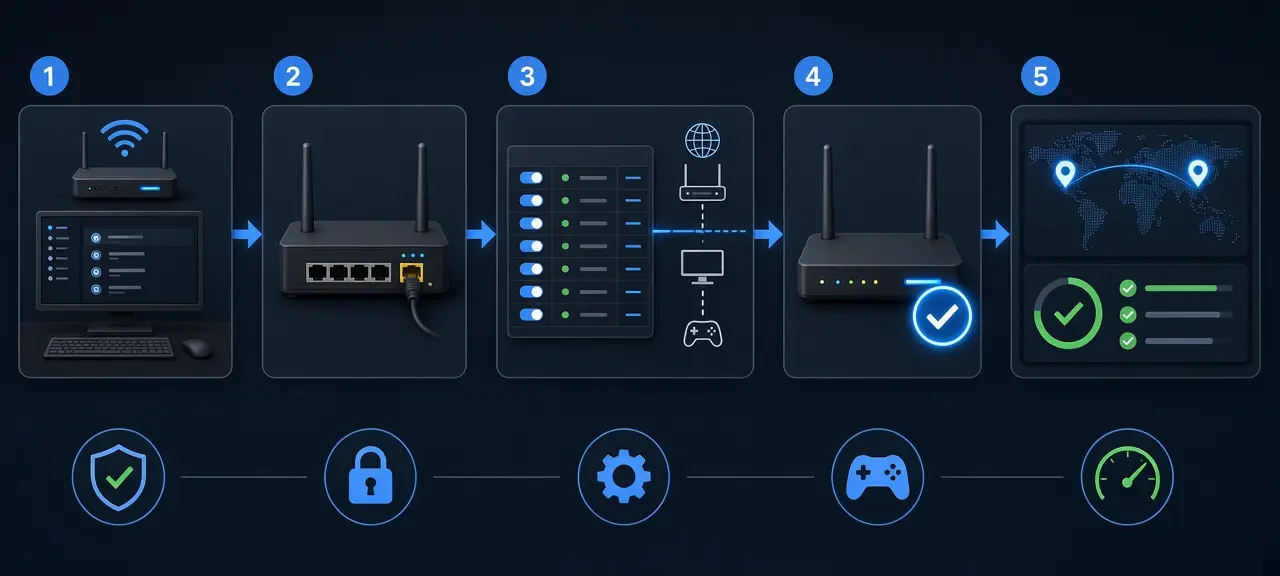
Port forwarding is a rule on your router that sends incoming connections on one port of your public IP address to a single device on your home network. You only need to port forward when someone outside has to connect in to you: friends joining your game server, a camera you view without the maker's cloud, a NAS. Browsing and normal online gaming work without it. The job has four parts: keep the device on a fixed local IP, add the rule, allow the port in the device's firewall, then test from outside with a port checker. The device must sit on your router's local subnet. Behind CGNAT, no rule on your home router works.
How port forwarding works
Port forwarding works by telling your router where to send a connection it would otherwise drop. NAT lets replies return to the device that started a conversation, but a new connection from the internet has no owner, so the router discards it. A rule gives it one: port X on the public IP goes to local IP Y, port Z.
One rule for a home web server looks like this:
- External port: 8443
- Internal IP: 192.168.1.50
- Internal port: 443
- Protocol: TCP
Someone who opens 203.0.113.10:8443 reaches the server on 192.168.1.50 at port 443. That public IP is a documentation address from RFC 5737, so use your own.
The two ports don't have to match. Routers call this port mapping. It helps when your ISP blocks port 80 on home plans: forward external 8080 to internal 80 and the server needs no change.
What you need before you forward a port
Before you forward a port, collect four things: access to your router's settings, the device's local IP address, the port and protocol the app uses, and a public IP that belongs only to your connection. Missing the last one is the most common reason a correct rule never works.
- Router access through the admin page or the maker's app. Here's how to log in to your router.
- The device's local IP, such as 192.168.1.50, from its network settings or the router's device list.
- The port and protocol from the app's documentation. A Minecraft Java server listens on TCP 25565 unless you change it in server.properties. New to this? Read what a port number is.
- A public IP of your own. Compare the WAN IP on the router's status page with the IP on the CheckIP homepage. Different numbers point to double NAT or CGNAT, both covered below.
How to set up port forwarding on your router
To set up port forwarding, reserve a fixed local IP for the device, open the router's port forwarding page, create a rule with the external port, internal IP, internal port and protocol, allow the port in the device firewall, and test from a network outside your home. Skip a step and the rule usually breaks later.
Step 1: Reserve a local IP for the device
A rule points at an IP address, not at a device. After a reboot, DHCP can hand your server 192.168.1.53 while the rule still points to .50. A DHCP reservation ties one address to the device's MAC address. Look for DHCP Reservation, Address Reservation, Static Lease or IP & MAC Binding. If you set a static IP on the device instead, pick a number outside the router's DHCP pool.
Step 2: Open the port forwarding page
Common menu names are Port Forwarding, Virtual Server, NAT, Port Mapping and Applications & Gaming, sometimes inside a Firewall or Advanced section. Mesh systems often keep the setting in the phone app instead of a web page.
Step 3: Create the port forwarding rule
Most routers ask for the same fields under different labels:
| Field | What to enter |
|---|---|
| Service name | Any label, such as "NAS HTTPS" |
| External (WAN) port or range | The port people connect to, for example 8443 |
| Internal (LAN) port | The port the app listens on, for example 443 |
| Internal IP | The reserved address from step 1 |
| Protocol | TCP, UDP or Both, per the app's documentation |
| WAN connection | On routers with several, pick the internet one |
| Source IP or remote host | Optional: accept connections from one outside address only |
Save the rule. A few routers apply it only after a restart.
Step 4: Allow the port in the device firewall
The device's own firewall can still refuse the connection. On Windows, add an inbound rule for the port and protocol in Windows Defender Firewall and choose Allow the connection, as in Microsoft's steps for creating an inbound port rule. On a Mac, allow the app in the Firewall settings. Don't switch the firewall off. To confirm the app is listening, check open ports on your computer.
Step 5: Run a port forwarding test from outside
A port forwarding test only counts if it starts outside your network. Start the app, then enter your public IP and the external port in the CheckIP port checker from mobile data with Wi-Fi off, or ask a friend to connect.
Don't judge the rule by opening your own public IP on home Wi-Fi. Many routers don't support NAT loopback (hairpin NAT), so that attempt fails even when the rule is correct. Online port checkers usually test TCP. A UDP service often stays silent to an empty probe, so test a UDP game server by joining with the real client.
Port forwarding with double NAT
Double NAT means two routers sit in a row, usually your ISP's gateway and a Wi-Fi router you added, and each translates addresses. A rule on your own router does nothing, because the gateway in front drops the connection first. Some consoles report "double NAT detected" in their network test for this setup.
To check for double NAT, open your router's status page. A private WAN IP (192.168.x.x, 10.x.x.x or 172.16.x.x to 172.31.x.x) means another router sits in front. Three fixes:
| Fix | What you do | Choose it when |
|---|---|---|
| Bridge mode on the ISP gateway | The gateway only passes traffic and your router gets the public IP | Your ISP allows it or does it for you |
| Forward twice | Gateway forwards to your router's WAN IP, your router forwards to the device | Bridge mode is locked and you need a few ports |
| Your router as the gateway's DMZ host | Every unsolicited connection goes to your router, which applies its own rules | You forward many ports |
Forwarding twice for a NAS on 8443: the ISP gateway sends 8443 to 192.168.1.2, your router's WAN IP, and your router sends 8443 to 192.168.0.50, the NAS. Reserve 192.168.1.2 on the gateway first. A router is fine as a DMZ host because it still has a firewall. Never make a PC or camera the DMZ host. With one device to reach, plug it straight into the ISP gateway and forward once.
In Vietnam, Viettel, VNPT and FPT fiber modems are modem and router in one box. WAN and bridge settings are locked for the customer account, and on some modems the NAT page may be hidden too. If you can't find it, call Viettel 18008119, VNPT 18001166 or FPT 1900 6600. Don't hunt for other logins online.
Port forwarding behind CGNAT
Port forwarding does not work behind carrier-grade NAT (CGNAT), because your ISP shares one public IP among many customers and its own NAT drops incoming connections before they reach your home. Every rule on your router stays unused, and an outside test shows the port as filtered whatever you change.
A WAN IP from 100.64.0.0 to 100.127.255.255 is the clearest sign, since RFC 6598 reserves that block for carriers. Our page on public vs private IP shows how to confirm it. Your options:
- Ask your ISP for a public IPv4 address. Some assign one on request, others sell it as a static IP add-on.
- Use IPv6 if your ISP supports it. IPv6 has no NAT, but the router's IPv6 firewall blocks incoming connections, so open the port there. The person connecting also needs IPv6.
- For cameras and NAS boxes, use the maker's cloud or P2P app, which connects outward.
- Use a tunnel service or mesh VPN. Both start an outbound connection, so they work behind CGNAT, and your traffic passes through the provider's servers.
UPnP, DMZ and port triggering: when to use them
UPnP, DMZ and port triggering open ports without a manual rule. UPnP lets apps open ports on request, a DMZ host receives every unsolicited connection, and port triggering opens a port briefly after the device sends out first. Only UPnP suits most homes, and only while something needs it.
| Method | How it opens ports | Risk | Use it for |
|---|---|---|---|
| UPnP (IGD) | An app asks the router, which agrees without asking you | Malware can open ports the same way | Consoles and games that request it |
| DMZ host | Every port without a rule goes to one device | That device is fully exposed | A second router behind an ISP gateway |
| Port triggering | A port opens for a while after outbound traffic on a "trigger" port | Low, it closes again | Older apps that call out first, never servers |
Pi Network's post on Pi Node version 0.6.2 (August 14, 2026) says it "introduces UPnP support that helps users automatically open the ports needed for Node connectivity" on supported routers. Our Pi Node port forwarding guide walks through both the UPnP and manual setups. With UPnP on, check the router's list of active mappings now and then, and turn it off when nothing needs it. Some routers offer NAT-PMP (RFC 6886) or its successor PCP (RFC 6887), which let apps request ports the same way.
Is port forwarding safe?
Port forwarding is safe when the app behind the port is patched and has a strong login. The rule itself only opens a path. Automated scanners sweep the internet for open ports all day, so strangers will try anything you forward. Keep the list short:
- Forward only the ports an app needs, each to one device.
- Never expose a router or camera admin page, Remote Desktop (3389) or SMB (445).
- Change default passwords and update firmware on cameras, NAS boxes and the router.
- Limit the source IP if your router allows it.
- Delete rules you no longer use, then retest the port.
- For remote admin, run a WireGuard or OpenVPN server on your router or NAS and forward only its port, or use SSH with key-based login.
Only open and test ports on a network you manage or have permission to change.
Port forwarding not working? Common fixes
When port forwarding isn't working and the rule looks right, match the symptom to its cause below. These are the cases people miss most often, and several have nothing to do with the rule you typed. Each one has its own fix.
| Symptom | Likely cause | Fix |
|---|---|---|
| Works from mobile data, fails from home Wi-Fi | No NAT loopback on the router | Test from outside, use the local IP at home |
| Every port shows filtered | CGNAT, or the ISP blocks incoming traffic | See the CGNAT section |
| Broken after a reboot | New local IP, or a new public IP | Reserve the local IP, use dynamic DNS (it can't help behind CGNAT) |
| Rule gone after a factory reset or ISP firmware update | Settings wiped | Recreate the rule and keep a note of it |
| Port 80, 443 or 8080 unreachable | Router remote admin uses it, or the ISP blocks it | Use another external port |
| Router has several WAN connections | Rule attached to IPTV or VoIP | Pick the internet connection |
| UDP game server shows closed | The checker tested TCP | Join with the real client |
| Only IPv6 clients can't connect | IPv4 rules don't cover IPv6 | Allow the port in the IPv6 firewall |
Still closed? Go through the six common causes on the port checker page linked at the top.
Frequently asked questions
Does port forwarding make your internet faster?
No. Port forwarding doesn't change your bandwidth or ping. It only lets outside connections reach a device. A game can feel better when a forward fixes a strict NAT type, because you can join more lobbies, but download speed stays the same. Any guide promising faster internet from port forwarding is wrong.
Do I need a static IP for port forwarding?
No. You need a fixed local IP for the device, which a DHCP reservation gives you for free. The public IP can change. If your ISP changes it now and then, a dynamic DNS name follows the new address so friends don't have to ask for it. A static public IP only saves you that step. To see which type your ISP gives you, compare static and dynamic IPs.
Can I port forward on a mobile hotspot or 5G home internet?
Usually not. Mobile networks and most 5G home internet plans put customers behind CGNAT, so the hotspot or router has no public IP to forward from. Some carriers sell a public or static IP option for business lines. Without one, use a tunnel service, a mesh VPN or the device maker's cloud app.
Is port forwarding the same as opening a port in the firewall?
No. Port forwarding is a router rule that sends outside traffic to one device. Opening a port in the firewall is a rule on that device allowing the traffic in. For a server at home, you usually need both: the router rule to get the connection inside, and the firewall rule so the computer accepts it.
How many ports can I forward?
There's no general limit; it depends on the router's rule table. Each external port can point to only one device, though. With two cameras that both use port 554, forward external 554 to the first camera and external 555 to port 554 on the second. Viewers then add :555 to reach camera two.





