

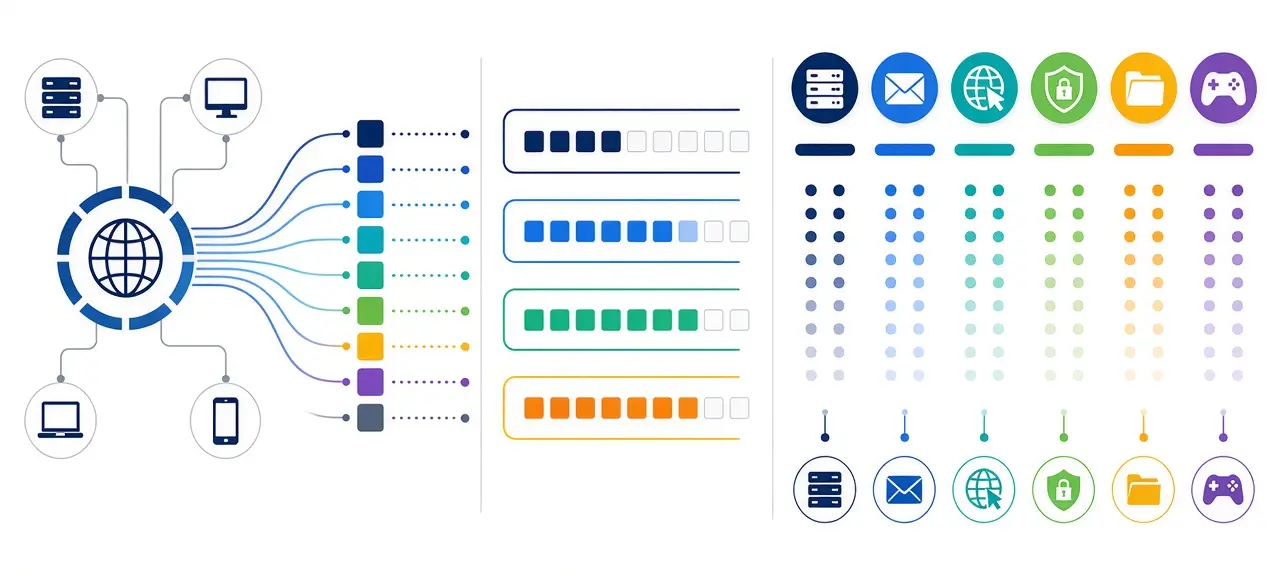
A port number is a 16-bit number, from 0 to 65535, that tells a device which app or service should receive a piece of network data. The IP address finds the device. The port finds the app on it. When you open a website over HTTPS, the server answers on port 443, while your browser picks a random high port such as 51544 on your side. You have one public IP address at a time, but every connection you make uses its own port. The Internet Assigned Numbers Authority (IANA) keeps the official list of which service uses which number, and it last updated that list on October 9, 2026.
What is a port number and how does it work with an IP address?
A network port is the second half of an address. The IP address gets a packet to the right device, and the port number inside the TCP or UDP header gets it to the right program on that device. Written together as IP:port, for example 203.0.113.5:443, the pair is called a socket.
Picture an apartment building. The IP address is the street address, and the port is the apartment number. Mail for apartment 443 never lands in apartment 22, even though both share one front door.
The port field is 16 bits long in both the TCP header (RFC 9293) and the UDP header (RFC 768). Sixteen bits hold 65,536 values, which is why the highest port is 65535.
Every TCP connection is identified by four values: source IP, source port, destination IP and destination port. Open 20 tabs on the same website and each tab gets its own source port, so the replies never mix. Here is one real connection from a home laptop to a web server:
| Step | Source (IP:port) | Destination (IP:port) |
|---|---|---|
| Laptop sends the request | 192.168.1.20:51544 | 203.0.113.5:443 |
| Router rewrites it (NAT) | Your public IP : a port the router picks | 203.0.113.5:443 |
| Server replies | 203.0.113.5:443 | Your public IP : the same router port |
| Router hands the reply back | 203.0.113.5:443 | 192.168.1.20:51544 |
The address 192.168.1.20 is one of the private IP addresses that only exist inside a home network. Your router swaps it for its public address, often changes the port too, and keeps a table so each reply reaches the right device. That table only has entries for connections started from inside. A connection from outside has nowhere to go until you set up port forwarding for a specific port.
IPv6 uses ports in exactly the same way. Because an IPv6 address already contains colons, it goes in square brackets before the port: [2001:db8::1]:443.
Port number ranges: system, user and dynamic ports
IANA splits the 65,536 port numbers into three ranges, set out in RFC 6335: System Ports from 0 to 1023, User Ports from 1024 to 49151, and Dynamic Ports from 49152 to 65535. Most guides still call the first two "well-known" and "registered" ports. IANA never assigns numbers in the dynamic range.
| Range | IANA name | Common name | How a number gets assigned | Examples |
|---|---|---|---|---|
| 0-1023 | System Ports | Well-known ports | IETF Review or IESG Approval | 22, 53, 443 |
| 1024-49151 | User Ports | Registered ports | The same, or IANA Expert Review of an application | 3306, 3389, 8080 |
| 49152-65535 | Dynamic Ports | Private or ephemeral ports | Never assigned | Source ports picked by your device |
Port 0 is listed as reserved for both TCP and UDP. Programs use it as a signal to the operating system ("give me any free port"), so it never appears as a real destination.
Ephemeral ports: which source ports Windows and Linux use
An ephemeral port is the temporary source port your operating system picks for an outgoing connection and frees once it closes. The range differs by system:
- Windows Vista, Windows Server 2008 and later use 49152 to 65535, according to Microsoft Learn. Older Windows used 1025 to 5000. Check yours with
netsh int ipv4 show dynamicport tcp. - Linux defaults to 32768 to 60999, set by
ip_local_port_rangein the Linux kernel documentation. Check yours withsysctl net.ipv4.ip_local_port_range.
The Linux range starts inside the User Ports block. So a Linux laptop may use 40000 as a source port even though IANA lists another service there. That is fine: a source port only matters for the one conversation it belongs to.
Why ports below 1024 need admin rights on Linux
On Linux, a program needs root or the CAP_NET_BIND_SERVICE capability to listen on a port below 1024. The kernel setting ip_unprivileged_port_start draws that line and defaults to 1024. This is why local development servers start on 3000, 5000 or 8080: the developer can run them without sudo.
TCP ports vs UDP ports
TCP and UDP each have their own set of 65,536 ports, so TCP port 53 and UDP port 53 are two different ports. TCP opens a connection with a handshake and resends anything lost. UDP sends packets with no connection and no resend, which suits DNS lookups, online games and voice calls.
A TCP port has states you can see on your own machine. LISTEN means a program is waiting for connections, and ESTABLISHED means a conversation is in progress. UDP has no connections, so a UDP port is either bound by a program or not.
IANA usually registers a service under the same number for both protocols, even when the service really uses one. Port 80 is listed as http for TCP and UDP, yet classic HTTP runs over TCP. A few entries differ: 143 is imap on TCP but reserved on UDP. Some services do use both. DNS answers most queries over UDP 53 and switches to TCP 53 for large answers. HTTPS ran on TCP 443 for decades, and HTTP/3 now runs over QUIC on UDP 443.
The difference matters in two places. A port forwarding rule on your router asks you to pick TCP, UDP or both, and the wrong choice blocks the app. Remote checks also behave differently: a listening TCP port answers a connection attempt, while a UDP port often answers nothing, so an outside test can't always tell open from blocked.
Common port numbers (IANA port number list)
The most common port numbers are 80 for HTTP, 443 for HTTPS, 22 for SSH, 53 for DNS, 587 for sending email and 3389 for Remote Desktop. The port number list below comes from the IANA Service Name and Transport Protocol Port Number Registry, checked on October 12, 2026.
The second column is the exact service name in the registry. The last column shows what the service runs over in practice, since IANA lists most numbers for both TCP and UDP.
| Port | IANA service name | What it is used for | Used over |
|---|---|---|---|
| Web | |||
| 80 | http | Websites without encryption | TCP |
| 443 | https | Websites over TLS | TCP, and UDP for HTTP/3 |
| 8080 | http-alt | Second web server, proxies, admin pages | TCP |
| 8443 | pcsync-https | Registered to PCsync; many apps reuse it for a second HTTPS service | TCP |
| File transfer and remote access | |||
| 20 | ftp-data | FTP file data (active mode) | TCP |
| 21 | ftp | FTP commands and login | TCP |
| 22 | ssh | Secure Shell, SFTP | TCP |
| 23 | telnet | Unencrypted remote terminal | TCP |
| 445 | microsoft-ds | Windows file sharing (SMB) | TCP |
| 3389 | ms-wbt-server | Remote Desktop (RDP) | TCP, also UDP |
| 5900 | rfb | VNC screen sharing | TCP |
| 25 | smtp | Mail server to mail server | TCP |
| 587 | submission | Sending mail from an app | TCP |
| 465 | submissions | Sending mail over TLS | TCP |
| 110 / 995 | pop3 / pop3s | Downloading mail (POP3, plain / TLS) | TCP |
| 143 / 993 | imap / imaps | Syncing mail (IMAP, plain / TLS) | TCP |
| Network basics | |||
| 53 | domain | DNS | UDP, and TCP |
| 853 | domain-s | DNS over TLS | TCP |
| 67 / 68 | bootps / bootpc | DHCP server / client | UDP |
| 123 | ntp | Clock sync | UDP |
| 161 / 162 | snmp / snmptrap | Network device monitoring | UDP |
| 1900 | ssdp | UPnP device discovery | UDP |
| 5353 | mdns | Multicast DNS (.local names) | UDP |
| VPN | |||
| 500 / 4500 | isakmp / ipsec-nat-t | IPsec key exchange / IPsec through NAT | UDP |
| 1194 | openvpn | OpenVPN | UDP or TCP |
| 1701 | l2tp | L2TP | UDP |
| 1723 | pptp | PPTP (an old protocol) | TCP |
| Databases, cameras, IoT and calls | |||
| 1433 | ms-sql-s | Microsoft SQL Server | TCP |
| 3306 | mysql | MySQL and MariaDB | TCP |
| 5432 | postgresql | PostgreSQL | TCP |
| 554 | rtsp | Camera video streams | TCP, also UDP |
| 1883 | mqtt | Smart home and IoT messages | TCP |
| 5060 / 5061 | sip / sips | VoIP call setup, plain / TLS | UDP or TCP / TCP |
| 3478 | stun, turn | NAT traversal for video calls | UDP, also TCP |
FTP ports are the pair people mix up most. Port 21 carries commands and the login, port 20 carries file data in active mode, and passive mode moves the data to a port the server chooses. SSH is 22, not 20.
Popular ports that IANA did not assign
Software can listen on any free port. The registry is a convention, and nothing stops an app from using a number IANA gave to someone else. These defaults come from the vendors, not from IANA:
| Port | Used by | Protocol | Status in the IANA registry |
|---|---|---|---|
| 25565 | Minecraft Java Edition server (default in server.properties) | TCP | Not assigned |
| 19132 | Minecraft Bedrock Edition server | UDP | Not assigned |
| 51820 | WireGuard (the port in WireGuard's own quickstart examples) | UDP | Not assigned |
| 37777 | Dahua cameras and recorders | TCP | Not assigned |
| 8000 | Hikvision cameras and recorders (app access) | TCP | Assigned to irdmi; Hikvision reuses the number |
What is my port number?
There is no single "my port" the way there is a "my IP." Your device opens a new ephemeral port for each outgoing connection and drops it when the connection ends. A fixed port only exists when you run a service, such as a game server or an IP camera, and you set it in that app.
So the answer depends on which port you mean:
| The port you need | Where to find it |
|---|---|
| Your game server, camera or NAS | The app or device settings, for example server-port in Minecraft's server.properties |
| A local web app you just started | The terminal output, such as http://localhost:3000; see how localhost (127.0.0.1) works |
| The source ports your browser is using now | The output of netstat -ano on Windows or ss -tn on Linux |
| Your external port behind the router | Chosen by NAT and visible only on the router, or the external port you typed into a forwarding rule |
| Your proxy port | The proxy address your provider gave you, written as IP:port |
When a game or camera guide asks for "your IP address and port," it wants your public IP plus the port of the service you set up. The CheckIP homepage shows the public IP. The port always comes from the app. To check which ports are open on your computer and which program holds each one, use the commands in that guide.
Are open ports a security risk?
An open port is only as risky as the program listening on it. A port is open when software accepts connections on it. With nothing listening, the port is closed and there is nothing to attack. Problems come from outdated or badly set up services, such as a camera with its default password.
Remote Desktop on 3389 and file sharing on 445 are frequent targets when exposed to the whole internet. Turn off services you don't use, keep the rest updated, and forward only the exact ports an app needs. You can test a port from the internet to see what outsiders see, along with what open, closed and filtered mean. Only test IP addresses and devices you own.
Frequently asked questions
How many ports are there?
There are 65,536 port numbers, from 0 to 65535, for TCP and another 65,536 for UDP. The count applies per IP address, not per computer. A server with two IP addresses can run two different web servers, both on port 443. Port 0 is reserved, so 65,535 numbers are usable as real destinations.
What is the difference between an IP address and a port number?
An IP address is 32 bits (IPv4) or 128 bits (IPv6) and changes when you move to another network. A port number is 16 bits and belongs to the service, not the network. Your laptop's IP changes between home and a coffee shop, yet every HTTPS site still answers on 443.
Can two apps use the same port?
Not on the same IP address and protocol. The second app fails with "address already in use," or on Windows "Only one usage of each socket address (protocol/network address/port) is normally permitted." Two apps can share a number if one uses TCP and the other UDP, or if each listens on a different IP address of the same machine.
What does port 8080 mean?
Port 8080 is registered with IANA as http-alt, described as "HTTP Alternate (see port 80)." It carries ordinary web traffic on a second port. Developers use it for test servers, many proxies listen on it, and some routers and cameras put their admin page there. Nothing about 8080 is special apart from that convention.
Is a port the same as a physical port like USB or Ethernet?
No. A network port is a number in software, and one Ethernet cable carries traffic for thousands of them at once. The four LAN sockets on the back of a router are hardware ports. They have nothing to do with port numbers 1 to 4.
How do I look up what a port number is used for?
For a port number lookup, search the number in the IANA registry, which returns the assigned service name for TCP and UDP. The registry can't tell you what a given computer actually runs there. For a strange port on your own machine, find the process ID with netstat -ano (Windows) or lsof -i :PORT (macOS and Linux), then match it to a program.





