

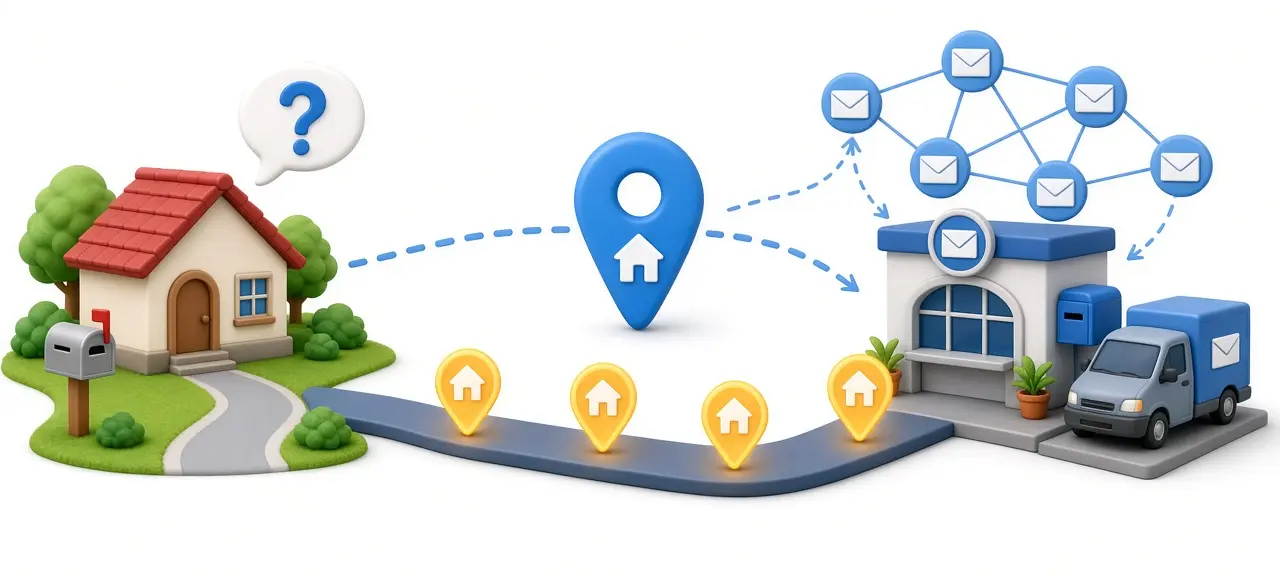
An IP address is a number that identifies a device on a network that uses the Internet Protocol (IP), so data knows where to go and where to send the reply. Every phone, laptop, smart TV and server that talks to the internet uses one. An IPv4 address looks like 203.0.113.45. An IPv6 address looks like 2001:db8:85a3::8a2e:370:7334. Without these numbers, a web page you request would have no return path to reach your screen. To see the address your connection uses right now, check your public IP address on the CheckIP home page.
What does IP mean?
IP stands for Internet Protocol, the set of rules that decides how data is split into packets, labeled and sent between networks. The "address" part is the label. So the IP meaning in "IP address" is simple: the address a device uses under the Internet Protocol. It is a networking term and has nothing to do with intellectual property.
The original version of the protocol, IPv4, was defined in RFC 791, published in September 1981. Its successor, IPv6, is defined in RFC 8200. Both versions do the same job. They differ in how long the address is and how many addresses exist.
People often ask "what is IP" when they really mean the address itself. The protocol is the rulebook. The address is your device's entry in it.
What does an IP address look like?
An IPv4 address is four numbers from 0 to 255 separated by dots, such as 192.0.2.10. An IPv6 address is eight groups of four hexadecimal digits separated by colons, such as 2001:0db8:0000:0000:0000:0000:0000:0001. IPv6 has shortening rules, so that same address is usually written 2001:db8::1.
Each of the four IPv4 numbers is called an octet because it holds 8 bits. Four octets make 32 bits in total. That is why no part of a valid IPv4 address can be higher than 255: 255 is the largest number 8 bits can hold. An address like 192.0.2.300 is invalid. In the original design, the first octet also set the address class, covered in our guide to IP address classes.
IPv6 uses hexadecimal digits, 0 to 9 plus a to f. Two rules make it shorter to write:
- Leading zeros in any group can be dropped, so 0db8 becomes db8 and 0000 becomes 0.
- One run of consecutive all-zero groups can be replaced with a double colon (::). This can only happen once per address, or a reader could not tell how many zeros were removed.
The examples in this article come from ranges reserved for documentation. RFC 5737 sets aside 192.0.2.0/24, 198.51.100.0/24 and 203.0.113.0/24 for IPv4 examples, and RFC 3849 reserves 2001:db8::/32 for IPv6. These addresses are never assigned to real devices, so copying them into a guide cannot point readers at someone's actual connection.
How does an IP address work?
An IP address works like the address on an envelope. When your device sends data, it breaks it into packets. Each packet carries a source IP address (yours) and a destination IP address (the server). Routers read the destination, pass the packet one hop closer, and the server uses the source address to send its reply back.
The path when you open a website from home has four steps:
- Your laptop builds a request and hands it to your home router over Wi-Fi or a cable.
- The router sends it out to your internet service provider (ISP).
- The ISP's routers forward it across other networks toward the destination address.
- The web server receives the request and sends the page back to the source address on the packet.
Unlike a letter, a packet does not wait at a sorting office. A router makes its forwarding decision in a fraction of a second, and a single page load can involve hundreds of packets that may take different routes before they are put back together on your device.
You rarely type an IP address yourself because of DNS, the Domain Name System. DNS works like a phone book. When you type checkip.day, your device asks a DNS resolver which IP address belongs to that name, gets a number back, and connects to that number. The name is for people. The IP address is what the network actually uses.
IPv4 vs IPv6: what is the difference?
An IPv4 address is 32 bits long, which allows 4,294,967,296 addresses, about 4.3 billion. An IPv6 address is 128 bits long, which allows about 3.4 × 1038 addresses. IPv6 was created because IPv4 addresses were running out. The two versions run side by side on today's internet.
4.3 billion sounded like plenty in 1981. It is fewer than one address per person alive today, before counting phones, tablets, cameras and servers. Some IPv4 ranges are also reserved for private networks, testing and multicast, so even fewer are usable on the public internet.
The free pool ran dry in 2011. On 3 February 2011, the Internet Assigned Numbers Authority (IANA) handed out its last blocks of unallocated IPv4 space to the regional registries. Since then, new IPv4 addresses have come from what the registries had left, from waiting lists, and from transfers between organizations.
So why does IPv4 still work? The main answer is NAT, short for Network Address Translation. Your home router has one public IPv4 address from your ISP. Every device behind it gets a private address. When your phone sends a request, the router swaps the phone's private address for its own public address and keeps a table of which reply belongs to which device. Ten devices in one house can share a single public IPv4 address this way. Many ISPs go a step further with carrier-grade NAT, which shares one public address among many customers. RFC 6598 reserves the range 100.64.0.0/10 for that purpose.
IPv6 removes the shortage. A single home connection can receive more IPv6 addresses than the entire IPv4 internet, so every device can have a globally reachable address without translation. Adoption has grown steadily over the past decade. Google publishes a live chart of the share of its users who reach Google over IPv6 on its IPv6 statistics page, and the figure differs widely by country and by mobile carrier. Most devices today run both versions at once, a setup called dual stack, and use IPv6 when the website and the network both support it.
Public vs private IP addresses
A public IP address is the one the internet sees, assigned to your router by your ISP and unique across the internet. A private IP address is used only inside your local network, such as your home Wi-Fi, and can be reused in millions of other homes. Websites see your public IP, never your private one.
RFC 1918 reserves three IPv4 ranges for private networks:
- 10.0.0.0 to 10.255.255.255 (10.0.0.0/8)
- 172.16.0.0 to 172.31.255.255 (172.16.0.0/12)
- 192.168.0.0 to 192.168.255.255 (192.168.0.0/16)
Routers on the public internet do not forward traffic addressed to these ranges. That is why your laptop at 192.168.1.23 and your neighbor's laptop at the same 192.168.1.23 never clash. Each sits behind its own router with its own public IP.
192.168.1.1 is one of the most searched private addresses. It is the default address many home routers give themselves on the local network. Typing it into a browser on your Wi-Fi usually opens the router's admin page, where you can change the Wi-Fi password or see connected devices. Other common router defaults are 192.168.0.1 and 10.0.0.1, depending on the brand.
If you check your address on your computer's network settings and then on a website, you will often get two different numbers. The first is your private IP. The second is the public IP your router shows the world.
Static vs dynamic IP addresses
A dynamic IP address is assigned automatically and can change over time. A static IP address is set once and stays the same. Most home internet plans use dynamic public IPs, and almost every device on a home network gets a dynamic private IP from the router.
Inside your home, the router hands out private addresses using DHCP, the Dynamic Host Configuration Protocol. Each address comes with a lease. When the lease ends, the device asks again and often gets the same address back, but nothing guarantees it. The ISP uses the same idea for your public IP, which may change when your router restarts or after a set period.
Dynamic addressing suits most people. It costs nothing extra, and ISPs can manage their limited IPv4 space. A static IP makes sense when other people or systems need to reach you at a fixed address:
- Running a web, mail or game server from your own connection.
- Viewing security cameras or a NAS remotely without a dynamic DNS service.
- Connecting to company systems that only accept traffic from approved IP addresses.
Business internet plans often include a static public IP. On a home plan, ISPs usually charge extra for one. On your local network, you can reserve a fixed private address for a printer or camera in the router's DHCP settings. To tell which one your plan uses, read static vs dynamic IP addresses.
Who assigns IP addresses?
IP addresses are handed out in layers. IANA manages the global pool and gives large blocks to five regional internet registries (RIRs). The RIRs give blocks to ISPs and large organizations. Your ISP assigns a public IP to your router, and your router assigns private IPs to your devices with DHCP.
The five RIRs each cover one region:
- AFRINIC for Africa
- APNIC for Asia and the Pacific, including Vietnam
- ARIN for the United States, Canada and parts of the Caribbean
- LACNIC for Latin America and parts of the Caribbean
- RIPE NCC for Europe, the Middle East and parts of Central Asia
Some countries add a national registry between the RIR and local ISPs. In Vietnam, that is VNNIC, which works with APNIC. Every block's holder is recorded in public databases, which is how lookup tools can tell you which network an address belongs to.
What can your IP address reveal?
Your public IP address reveals your approximate location, usually the country and often the region or city, plus the name of your ISP or the company that owns the address block. It does not reveal your name, street address or phone number. Only your ISP can link an IP address to a customer account.
Location data comes from geolocation databases. Their providers combine registry records, ISP information and network measurements to guess where an address range is used. Country-level results are usually right. City-level results can be off by tens of kilometers, because the address may be registered to an ISP office or a data center far from you. Mobile connections are harder still, since carriers often route traffic through a few large gateways.
A website that sees your IP can also tell whether it belongs to a home ISP, a mobile carrier, a hosting company or a known VPN provider. Sites use this to set the language, apply regional pricing, block suspicious logins or enforce streaming rights.
Your ISP is the one party that knows exactly which customer used a given public IP at a given time. In many countries it releases that record only to authorities with a legal order. You can look up who owns an IP to see the country, region and network name tied to any public address.
How to find your IP address
The fastest way to find your public IP address is to open an IP checker website, which shows the address your traffic comes from. To find your private IP address, open the network or Wi-Fi settings on your device and look for the "IP address" or "IPv4 address" field.
On Windows, you can also run ipconfig in Command Prompt. On macOS and Linux, the address appears in network settings or through the terminal. Phones list it in the details of the Wi-Fi network you are connected to. For step-by-step instructions with screenshots for each system, see how to find your IP on any device.
Frequently asked questions
Does every device have its own IP address?
Every device on a network has its own IP address on that network. On the internet, though, devices behind the same router usually share one public IPv4 address through NAT. With IPv6, each device can have its own public address. A phone on mobile data and the same phone on home Wi-Fi will have different IP addresses, because each network assigns its own.
Can two devices have the same IP address?
Two devices on the same local network cannot share an IP address. If they do, you get an IP conflict and one or both lose their connection until the router reassigns an address. Devices on different networks can use the same private address, such as 192.168.1.10, without any problem, because private addresses are never routed across the internet.
Does my IP address change when I move?
Yes. Your public IP comes from the network you are connected to, not from your device. Take your laptop from home to a café and it gets the café's public IP. Moving house usually changes it too, even with the same ISP. On mobile data, your IP can change as you move between areas or when your phone reconnects.
Is an IP address personal data?
In the European Union, often yes. In the Breyer case (C-582/14, judgment of 19 October 2016), the Court of Justice of the EU ruled that a dynamic IP address can be personal data for a website operator that has legal means to identify the user with help from the ISP. Recital 30 of the GDPR lists internet protocol addresses as online identifiers.
What is 127.0.0.1?
127.0.0.1 is the loopback address, often called localhost. Traffic sent to it never leaves your device; it loops back to your own computer. Developers use it to test websites and apps locally. The whole 127.0.0.0/8 block is reserved for loopback, and the IPv6 equivalent is ::1. A website can never see 127.0.0.1 as your address.





