

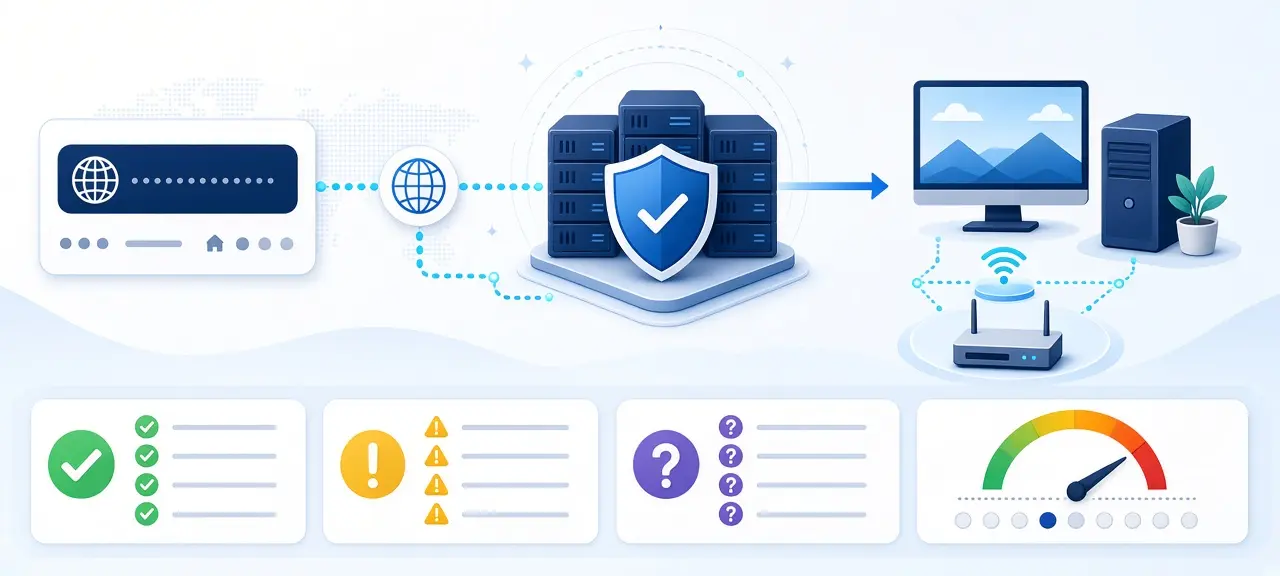
Google DNS uses the IPv4 addresses 8.8.8.8 and 8.8.4.4 and the IPv6 addresses 2001:4860:4860::8888 and 2001:4860:4860::8844. Google Public DNS is a free resolver run by Google, and it needs no account. You can set it on your router for the whole home, or on one phone or laptop, in a few minutes. Switching often fixes lookups that fail or get redirected by an ISP resolver. It will not raise your download speed, because DNS only turns domain names into IP addresses.
Google DNS server addresses (IPv4, IPv6, DoH, DoT)
The Google DNS servers are 8.8.8.8 (primary) and 8.8.4.4 (secondary) for IPv4, and 2001:4860:4860::8888 and 2001:4860:4860::8844 for IPv6. For encrypted DNS, the hostname is dns.google. Type the numbers into any "DNS server" field, and use the hostname only where a device asks for one.
| Type | Primary | Secondary |
|---|---|---|
| IPv4 | 8.8.8.8 | 8.8.4.4 |
| IPv6 | 2001:4860:4860::8888 | 2001:4860:4860::8844 |
| DNS over TLS (port 853) | dns.google | Same hostname |
| DNS over HTTPS (port 443) | https://dns.google/dns-query | Same URL |
| Android Private DNS | dns.google | Not needed |
Google IPv6 DNS
Some routers reject the short "::" form. Type the full Google IPv6 DNS addresses instead: 2001:4860:4860:0:0:0:0:8888 and 2001:4860:4860:0:0:0:0:8844. Add them only if your line has IPv6; this guide to IPv4 vs IPv6 shows how to check. The extra addresses 2001:4860:4860::6464 and ::64 are for DNS64 on IPv6-only networks with a NAT64 gateway, and Google says not to use them anywhere else.
8.8.8.8 vs 8.8.4.4
8.8.8.8 and 8.8.4.4 are two addresses for the same service. They return the same answers. Enter both, so your device can ask the second one if it can't reach the first. The order does not change the results.
What is the hostname of 8.8.8.8?
The Google DNS hostname is dns.google. A reverse lookup of 8.8.8.8 and of 8.8.4.4 returns dns.google, and dns.google resolves back to both addresses (checked on 12 October 2026). Encrypted DNS needs this name instead of a number, because the connection verifies a name on a certificate.
What is Google DNS and what does it not do?
Google DNS is a public resolver: the server your device asks to turn a name like example.com into an IP address. By default, your router hands out your ISP's resolver. Typing 8.8.8.8 into your settings changes who answers that question. Nothing else about your connection changes. If the lookup itself is new to you, start with how DNS works.
| Google Public DNS does | Google Public DNS does not |
|---|---|
| Answer for free with no account | Block ads |
| Validate DNSSEC and return SERVFAIL when a signed answer fails | Filter malware, phishing or adult sites |
| Return NXDOMAIN for domains that don't exist, with no redirect to an ad page | Hide your IP address from websites |
| Encrypt queries over DNS over HTTPS or DNS over TLS | Encrypt ordinary queries on port 53 or increase bandwidth |
Google's FAQ says the service "does not perform blocking or filtering of any kind", except rare blocks against security threats and domains it is legally required to block. Websites still see your public IP after the switch, so see your public IP before and after to confirm it. If hiding that address is the goal, read how to hide your IP address.
Is Google DNS worth switching to?
Google DNS is worth switching to when your ISP's resolver fails, times out, or sends mistyped domains to a search or ad page. If pages load fine today, the gain is usually small. Your ISP's resolver sits inside its own network and can also point you to nearby CDN servers.
One detail affects video and downloads. Google uses EDNS Client Subnet (ECS), passing part of your IP address to the site's name server so it can pick a server near you. Cloudflare's 1.1.1.1 does not send ECS, according to its FAQ. The two can send you to different CDN servers for the same site. Neither one is always faster.
| Switch to Google DNS if | Stay with your ISP's DNS if |
|---|---|
| Sites fail with "server IP address could not be found" while apps work | Every site resolves and loads normally |
| Mistyped domains open an ISP search or ad page | You use ISP pages that resolve only on its own DNS |
| You want DNSSEC validation or encrypted DNS | You run a filtering service at home |
| Your ISP's resolver has outages | Your workplace or school manages DNS |
Is 8.8.8.8 DNS safe? What Google logs
8.8.8.8 is safe when you type the official address yourself, but it keeps logs. Google's privacy page says temporary logs hold your IP address and the query and enter deletion within 24 to 48 hours. Google may keep them longer only for security and abuse issues.
Permanent logs are a sample of those logs with your IP address removed. They keep location at country, region and city level, "no more specific than 1 km² and 1000 users", plus the network's ASN. Google states it does not use personal information from Public DNS to target ads, and does not link these logs with your other Google data except for security and abuse work.
DNSSEC validation protects you against forged answers for signed domains. Ordinary DNS on port 53 is still unencrypted, so your ISP and anyone on the same Wi-Fi can read the names you look up. Avoid unknown "DNS changer" apps and DNS addresses sent by strangers: a hostile resolver can send you to a fake bank page.
How to use Google DNS on a router, PC or phone
To use Google DNS, replace the DNS servers in your router or device settings with 8.8.8.8 and 8.8.4.4, then save. Write down your current DNS settings first, as Google's setup guide advises. Choosing "Automatic" again restores your ISP's servers on most devices. For other resolvers and more devices, see how to change DNS on every device.
On your router (whole home)
- Open the router's admin page; here is how to log in to your router.
- Find the DNS fields under WAN or Internet, or under LAN/DHCP.
- Enter 8.8.8.8 and 8.8.4.4, save, and restart the router if asked.
- Reconnect your devices so they pick up the new DNS.
Google notes that some ISPs hard-code DNS servers into their equipment. ISP modems in Vietnam from Viettel, VNPT or FPT may hide or lock this field for customer accounts. If so, set DNS on each device.
Windows 11 and Windows 10
On Windows 11, open Settings, then Network & internet, then Wi-Fi or Ethernet, and open your connection's properties. Next to DNS server assignment, choose Edit, switch to Manual, turn on IPv4, and enter 8.8.8.8 as preferred and 8.8.4.4 as alternate. Windows 11 also shows an encryption option for these addresses, because Google's servers are on Microsoft's list of known DNS over HTTPS servers.
On Windows 10, open Control Panel, Network and Sharing Center, Change adapter settings. Right-click your connection, choose Properties, then Internet Protocol Version 4 (TCP/IPv4), and enter both addresses under "Use the following DNS server addresses".
macOS
Open System Settings, select Network, choose Wi-Fi or Ethernet and click Details. Open DNS, click + and add 8.8.8.8 and 8.8.4.4 at the top of the list. Click OK.
iPhone and iPad
Go to Settings, tap Wi-Fi, then the (i) next to your network. Tap Configure DNS, choose Manual and add 8.8.8.8 and 8.8.4.4. The change applies only to that Wi-Fi network, not mobile data.
Android
On Android 9 or later, open Settings, then Network & internet, then Private DNS; the path differs between Samsung, Xiaomi, OPPO and other brands. Choose "Private DNS provider hostname", type dns.google and save. Don't type 8.8.8.8 here, because the field takes a hostname. Private DNS covers Wi-Fi and mobile data. Google warns that a VPN or a DNS changer app can override it.
Encrypted DNS: DNS over HTTPS and DNS over TLS with dns.google
Google DNS supports DNS over HTTPS at https://dns.google/dns-query (RFC 8484, port 443) and DNS over TLS at dns.google on port 853. Both hide your queries from people on the network path, such as your ISP or a café Wi-Fi operator. Plain 8.8.8.8 on port 53 does not.
On a phone, Android Private DNS with dns.google already uses DNS over TLS. On a PC, use the Windows 11 encryption option above, or the secure DNS setting in the privacy or security menu of Chrome, Edge or Firefox, with Google as the provider. Encryption protects the path, not the destination: Google still receives every query under the logging rules above.
How to check that 8.8.8.8 is really answering your queries
To confirm you are using Google DNS, run Google's own test command. If the reply contains "Thanks for using Google Public DNS.", your queries reach Google. It is also the simplest answer to "what is my DNS" without installing anything.
On Windows, open Command Prompt and run:
nslookup -debug -type=TXT test.dns.google.com. dns.google.
On macOS or Linux, open Terminal and run:
dig -t TXT test.dns.google.com. '@dns.google.'
According to Google's troubleshooting page, NXDOMAIN means you are reaching a different resolver, and a timeout means queries to Google Public DNS are blocked. Google adds that DNS traffic may be blocked or hijacked on the way, for example by a hotel Wi-Fi login page, a router with malware, or the ISP.
Does 8.8.8.8 make the internet faster? How to test it yourself
Google DNS does not make your connection faster. DNS only affects the moment a domain name is looked up, usually in milliseconds, and repeat lookups come from cache. Your plan and line set your bandwidth. If you run a speed test before and after switching, nearly identical results are normal.
What you can compare is lookup time. On macOS or Linux, run dig example.com @8.8.8.8, then the same command with your ISP's DNS address, and read the "Query time" line. On Windows PowerShell, run Measure-Command { Resolve-DnsName example.com -Server 8.8.8.8 -DnsOnly }. Repeat it five times with sites you actually use. Ping to 8.8.8.8 measures network latency to the resolver, not how fast it answers.
Google DNS vs Cloudflare 1.1.1.1 vs your ISP
Google DNS and Cloudflare 1.1.1.1 are both free, validate DNSSEC and support encrypted DNS. They differ on logging, ECS and filtering. Your ISP's resolver depends on the ISP.
| Feature | Google Public DNS | Cloudflare 1.1.1.1 | Your ISP |
|---|---|---|---|
| IPv4 addresses | 8.8.8.8, 8.8.4.4 | 1.1.1.1, 1.0.0.1 | Assigned by your router |
| Your IP in logs | Full IP in temporary logs, deleted within 24 to 48 hours | Not kept in non-volatile storage; truncated IP and logs deleted within 25 hours | ISP policy |
| Sends ECS | Yes | No | Varies |
| Filtering option | None | 1.1.1.2 blocks malware; 1.1.1.3 blocks malware and adult content | Varies |
| Encrypted DNS | DoH and DoT | DoH and DoT | Often none |
Pick Cloudflare if shorter logging or a family filter matters most, and Google if you want ECS-based CDN answers. Changing DNS is not a way around blocks. Workplace and school networks may block outside resolvers on purpose, and many countries block at the IP level, where a new DNS server changes nothing.
DNS not working after switching to 8.8.8.8? Quick fixes
When Google DNS fails right after a change, the cause is usually a typo, an old cache, or a network that blocks outside DNS. Match your problem below, and switch back to "Automatic" if nothing helps.
| Problem | Likely cause | Fix |
|---|---|---|
| No internet right after the change | Typo, such as 8.8.8.88 | Retype it or go back to Automatic |
| One site still fails | Old answer in the DNS cache | Run ipconfig /flushdns on Windows, or restart the device |
| Test command returns NXDOMAIN | Router or ISP intercepts port 53 | Use DoH or DoT, or ask your ISP |
| Android Private DNS "couldn't connect" | Port 853 blocked, wrong hostname or VPN on | Check the spelling of dns.google, turn off the VPN |
| Router changed, device still uses old DNS | Static DNS on the device, or browser secure DNS set elsewhere | Check device and browser settings |
| Slow internet although lookups work | Not a DNS problem | Run a speed test and ping test, then call your ISP |
On a company or school network, ask the administrator first.
Frequently asked questions
Is Google DNS free?
Yes. Google describes Public DNS as a free service that needs no account, app or registration. You type the addresses into your router or device and it works at once. There is no paid tier for home users; the cost is the temporary logging described above.
Does Google DNS block ads or malware?
No. Google Public DNS answers every valid domain apart from rare security or legal blocks, so ads and malicious sites resolve normally. DNS filtering needs a resolver built for it, such as Cloudflare's 1.1.1.2 for malware or 1.1.1.3 for malware and adult content. Neither blocks ads.
Does Google DNS hide my IP address?
No. Websites connect to your public IP address no matter which resolver looked up their name. Google itself sees your IP in its temporary logs. A new resolver only changes who translates domain names for you.
Should I use 8.8.8.8 or 8.8.4.4 first?
Either order works. Most people set 8.8.8.8 as preferred and 8.8.4.4 as alternate, but both reach the same service. The second entry covers the moment your device can't reach the first.
Can I use Google DNS and Cloudflare together?
Yes, with 8.8.8.8 as primary and 1.1.1.1 as secondary. Operating systems handle two resolvers differently, and many query both, so both logging policies apply. Google's FAQ adds that mixed resolvers give you the weakest security or filtering among them.
Does changing DNS change my IP address?
No. Your ISP assigns your public IP address, and it stays the same after you switch to 8.8.8.8. To get a new address, follow the steps to change your IP address instead.





