

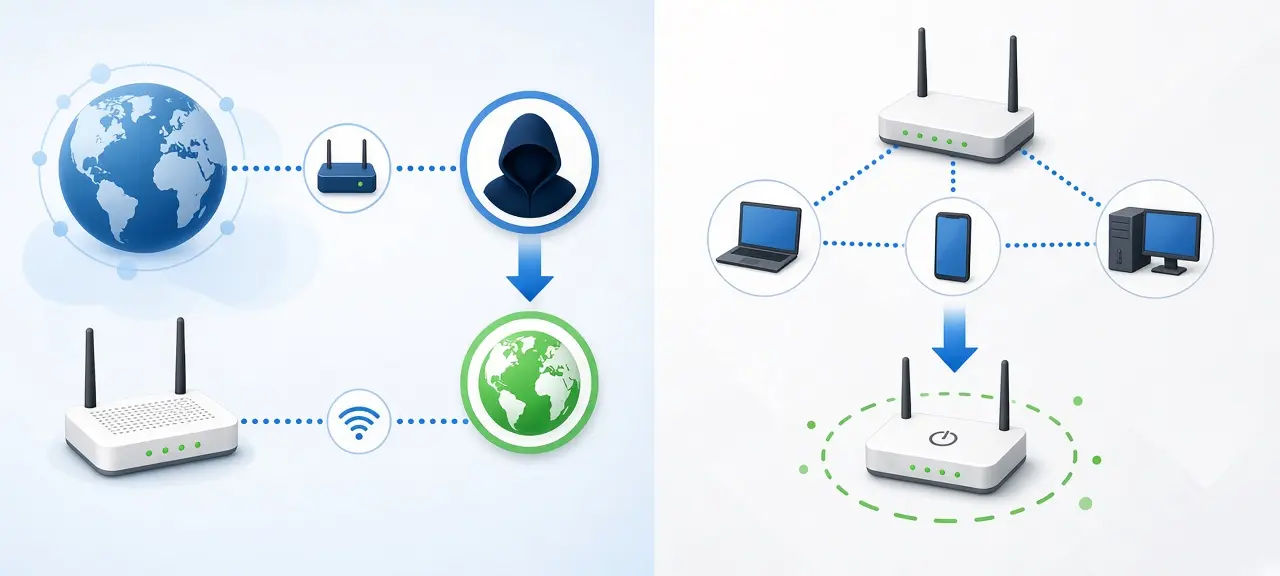
To change the IP address websites see, restart your router or modem, switch from Wi-Fi to mobile data, or connect through a VPN. To change the IP of one device on your home network, renew it or set it manually in that device's network settings. Those are two different addresses, and changing a local IP never changes what websites see. That's the first thing to settle before you learn how to change your IP address, and our guide to public vs private IP addresses explains why your router keeps them apart. Whichever method you use, check your IP before and after, so you know the change worked and which address moved.
Public IP vs local IP: which one do you need to change?
Change your public IP if a website, game or mail server has a problem with your address. Change your local IP if the problem is inside your home network, such as an IP conflict or a printer that needs a fixed address. Your ISP assigns the public IP; your router assigns local IPs through DHCP.
| Public IP | Local (private) IP | |
|---|---|---|
| Who assigns it | Your ISP or mobile carrier | Your router, through DHCP |
| Who sees it | Websites, games, email servers | Only devices on your network |
| Example | 203.0.113.45 | 192.168.1.23 |
| How to change it | Router restart, mobile data, VPN, ask the ISP | Renew the lease, set it manually, router reservation |
| Typical reason | Site blocked or rate-limited your IP, IP on a blacklist | IP conflict, camera or printer needs a fixed address, port forwarding |
The public example above comes from 203.0.113.0/24, a block RFC 5737 sets aside for documentation, so it belongs to nobody. Every device in your home shares one public IP. That's why typing a new number into your laptop's Wi-Fi settings does nothing for a site that blocked you.
How to get a new public IP address
The fastest way to get a new IP address from your ISP is to power off the router or modem for a few minutes, then turn it back on. If that fails, switch to mobile data, use a VPN, or ask your ISP. Each method below changes the address websites see, and each has a case where it won't work.
Restart your router or modem
Unplug the modem from the wall (an in-app "restart" is too short) and wait at least five minutes before plugging it back in. Many ISPs hand the same address back to the same equipment. RFC 2131, the DHCP standard, tells servers to try to "return the same network address each time the client requests an address." So a 30-second reboot often gives you the old IP. Leaving the modem off longer, even overnight, gives the ISP's lease time to expire. If you have a mesh system or a second router, restart the ISP's modem, because that's the box holding the public IP.
Some routers have a WAN "Disconnect" or "Release" button that drops the connection without a full power cycle. If your IP never changes no matter how long you wait, your plan may come with a fixed address or sit behind carrier-grade NAT. In that case, check whether your IP is static or dynamic before trying again. A restart is not a reset: the reset pinhole wipes every setting on the router, including your Wi-Fi name and password.
Switch to mobile data or toggle airplane mode
Turn off Wi-Fi on your phone and it uses your mobile carrier's IP instead of your home ISP's. Turning airplane mode on for about 10 seconds, then off, usually gets a fresh one. A laptop tethered to your phone's hotspot also goes out with the mobile IP.
Mobile carriers commonly put many subscribers behind one public IP using carrier-grade NAT (RFC 6598 reserves 100.64.0.0/10 for this). Your "new" address may already be blocked by a site because of someone else's behavior. Run it through a blacklist check if a site still refuses you.
Use a VPN
Does a VPN change your IP? Yes, for every website you visit. A VPN app, or a VPN built into your browser or operating system, sends your traffic through a VPN server, and sites see that server's IP. Pick a different server and you get a different IP. Your ISP still sees that you're connected to a VPN.
Free VPNs pay for themselves somehow. Some log what you do, inject ads or sell usage data, so read the privacy policy before installing one.
Use a proxy
A proxy changes the IP only for the browser or app you configure to use it. Everything else on the device keeps your real IP, and most proxies don't encrypt traffic. Free public proxy lists go stale fast, so test each address with a proxy checker before relying on it.
Ask your ISP to change your public IP address
If your public IP stays on a spam blacklist or a service blocks it for days, call your ISP and ask for a different address. On a paid static IP plan, only the ISP can change the number. In Vietnam, Viettel's fixed-line support is 18008119, VNPT's is 18001166 and FPT's is 1900 6600.
Check IPv6 too. Many connections now have an IPv4 and an IPv6 address, and a VPN or restart can change one but not the other. Sites that support IPv6 will still see the old one. After any change, look at both lines on CheckIP.
How to change your local IP address
You can renew a local IP, which asks your router for an address again, or set it manually. Renewing usually returns the same number, because RFC 2131 lists the client's previous address as the server's preferred choice when it is still free. To land on a different number, set it manually or reserve one on the router.
Change IP address on Windows 11 and 10
To renew IP address on Windows, open Command Prompt and run ipconfig /release, then ipconfig /renew, as Microsoft's ipconfig reference and TP-Link's Omada FAQ 840 describe.
To set a manual IP on Windows 11:
- Open Settings, then Network & internet.
- Click Wi-Fi (or Ethernet) and open the properties of the network you're connected to.
- Next to IP assignment, click Edit and choose Manual.
- Turn on IPv4 and enter the IP address, subnet mask, gateway and preferred DNS.
- Click Save.
Windows 10 has the same IP assignment and Edit buttons under the network's properties page in Settings.
Change IP address on a Mac
On current macOS, open System Settings, then Network, select Wi-Fi or Ethernet and click Details. In the TCP/IP tab, click Renew DHCP Lease for a fresh lease, or set Configure IPv4 to Manually and type the address, subnet mask and router.
How to change IP address on iPhone and iPad
Go to Settings, tap Wi-Fi, then tap the info button next to your network. Tap Renew Lease to ask the router again, or tap Configure IP, choose Manual and fill in the address, subnet mask and router.
The Private Wi-Fi Address setting on the same screen changes your MAC address, not your IP. On iOS 18, Apple offers Off, Fixed and Rotating; Rotating changes the private address every 2 weeks, according to Apple Support. A router can treat a new MAC as a new device and hand out a different local IP. It never changes your public IP.
Change IP address on Android
Open Wi-Fi settings, tap the gear or long-press the network you're on, then open Advanced options and change IP settings from DHCP to Static. Labels differ between Samsung, Pixel and Xiaomi. For a fresh DHCP address, tap Forget network and reconnect.
How to pick a safe manual IP
A manual IP only works if it matches your network and nobody else is using it. Four rules keep you online:
- Stay in the same range as the gateway. If the router is 192.168.1.1, pick something like 192.168.1.200.
- Choose a number outside the router's DHCP pool, which you'll find on its LAN or DHCP settings page.
- Copy the subnet mask from another device on the network, usually 255.255.255.0.
- Set the gateway to the router's own IP.
Lost the internet after saving? Switch back to Automatic (DHCP). For cameras, printers and NAS boxes, a DHCP reservation on the router is better than a manual IP on the device, because the router then never gives that number to anything else. Only set addresses on a network you own or are allowed to manage.
Can you change your IP location or country?
Restarting the router, using mobile data or changing a local IP won't change your IP country. Your ISP's addresses map to the country and region you're in. A website only sees an IP in another country when your traffic goes through a server located there, such as a VPN or proxy.
IP location is an estimate pulled from GeoIP databases, so you can't change IP location to a city of your choice. After a change, you may see the wrong city. That's a database issue, not your mistake. Use IP lookup to compare locations from several sources side by side.
Many streaming, gaming and app store services ban VPNs and proxies in their terms, and using one to get around regional limits can break those terms or local law. CheckIP doesn't explain how to do that.
Changing DNS, for example to 1.1.1.1, doesn't change your IP at all. DNS only decides which server turns domain names into addresses. Cloudflare's 1.1.1.1 app with WARP turned on does replace your IP with a Cloudflare IP, but Cloudflare's FAQ says that IP "consistently and accurately represents your approximate location." It won't move your IP address location to another country.
Changing vs hiding your IP
Changing your IP gets you another address from the same ISP, and websites still see that ISP and roughly your city. Hiding it means sites see an address that isn't yours at all. Cookies, logged-in accounts and browser fingerprints identify you whatever your IP is. For that goal, read how to hide your IP address.
Is it legal to change your IP address?
Getting a new IP from your ISP or setting local IPs on your own network is normal and legal. VPNs and proxies are legal in many countries, but rules differ by country, including Vietnam. A new IP doesn't make fraud, illegal gambling, banned content or ignoring a block order legal. Read the terms of any service you use.
IP address didn't change? Common fixes
Most failed IP changes come from a static IP, a DHCP lease that hasn't expired, or a VPN that isn't routing the browser. Match what you see to the table.
| Problem | Likely cause | Fix |
|---|---|---|
| Same IP after a router restart | Static IP, lease not expired, or carrier-grade NAT | Leave the modem off for hours; check if the IP is static; call the ISP |
| Restarted the second router, IP didn't move | The public IP lives on the ISP's modem | Power off the ISP's modem |
| CheckIP still shows your home ISP with a VPN on | VPN not connected, or split tunneling skips the browser | Reconnect, add the browser to the tunnel, reload the page |
| IPv4 changed, IPv6 didn't | VPN handles IPv4 only | Turn on IPv6 support in the VPN or disable IPv6 on the device |
| New IP is blocked or blacklisted | Shared IP from mobile data or VPN | Run a blacklist check; switch server or go back to home Wi-Fi |
| No internet after a manual IP | Wrong gateway or subnet mask | Switch back to Automatic (DHCP) |
| "IP address conflict" warning | Two devices have the same IP | Renew, or pick a number outside the DHCP pool |
| Location still wrong | Outdated GeoIP data | Compare several location databases |
Frequently asked questions
Does my IP address change on its own?
A dynamic public IP changes when your ISP's lease or session ends, often after the modem reconnects. That can be days or months; ISPs don't publish a fixed schedule. A static IP stays the same until you or the ISP change it. Local IPs usually stay put, because routers try to give each device its previous address.
Does restarting my router change my IP?
Usually, if your ISP gives you a dynamic IP and you leave the modem off long enough. It won't help with a static IP. Behind carrier-grade NAT you may get another shared address, or the same one, since many customers use the same pool.
How do I change my IP address without a VPN?
Restart your modem, switch to mobile data, or ask your ISP for a new address. A proxy also works for one browser or app. All of these give you an IP from a real ISP, so the location stays in your country.
Will I be anonymous if I change my IP?
No. Sites still recognize you through cookies, logins and device fingerprints, and the new IP still belongs to your ISP. Changing an IP fixes blocks and network problems. It isn't a privacy tool on its own.
Can I change my IP to a specific number?
For a local IP, yes: any free number in your router's range works if it's outside the DHCP pool. A public IP is different: the ISP owns the pool, so you can't pick the number. The only exception is a static IP you rent from your ISP.





