

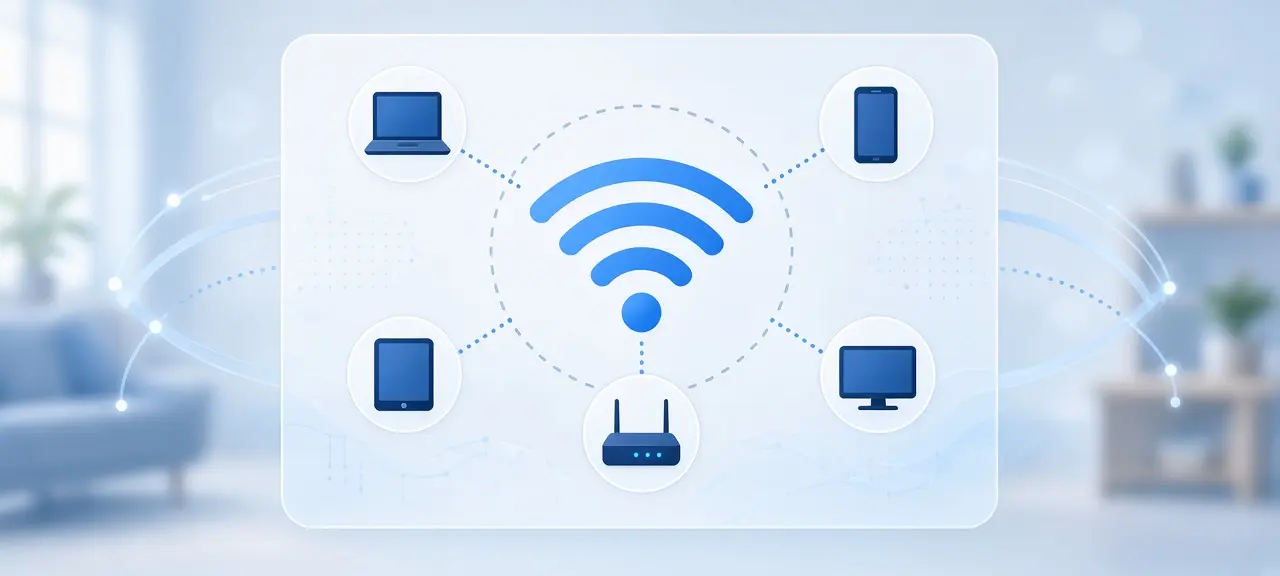
An SSID (Service Set Identifier) is the name of a Wi-Fi network, the one you see in the list when you tap Wi-Fi on your phone. Your router broadcasts it so nearby devices can find the network. That's the short answer to what is an SSID. The SSID is not your Wi-Fi password, and it is not an IP address. A new router comes with a default SSID printed on a sticker, usually the brand name plus a few letters or numbers, something like "TP-Link_3F2A" or "NETGEAR57". You can keep that name or change it to almost anything you like.
What is an SSID in Wi-Fi?
SSID stands for Service Set Identifier, the term the IEEE 802.11 Wi-Fi standard uses for a network's name. In plain words, the SSID meaning is "Wi-Fi network name". It can be up to 32 bytes long. It is case-sensitive, and it can contain spaces, so "Home WiFi" and "home wifi" are two different networks.
Microsoft's protocol documentation for the 802.11 SSID gives both rules. The limit is really counted in bytes. Plain letters and digits take 1 byte each, but in UTF-8 a letter such as é takes 2 bytes, a Vietnamese letter such as ữ takes 3, and most emoji take 4.
What is an SSID number?
There is no separate number. People say "SSID number" when a setup screen asks for the SSID, but the SSID is the network name itself, letters included. If a form asks for your SSID number, type your Wi-Fi name exactly as it appears, with the same capital letters and spaces.
What does an SSID look like? Examples
An SSID looks like any short name made of letters, numbers, spaces or symbols such as _. Default names usually join the router brand or ISP name with a few characters from the device. Here is what a SSID looks like in common cases:
- A default name from the router maker, such as "TP-Link_3F2A" or "NETGEAR57".
- One router with two bands and two names, such as "HomeNet" for 2.4 GHz and "HomeNet_5G" for 5 GHz.
- A guest network, such as "HomeNet_Guest", which keeps visitors off your main network.
- A hidden network, which has no name in the list. Phones show an option such as "Other" or "Add network" where you type the SSID yourself.
Apple's recommended settings for Wi-Fi routers suggest one name for all bands. If your router uses two names, join the 5 GHz one when you are near the router, then test your Wi-Fi speed on each band to compare.
How does an SSID work?
Your router sends out short signals called beacons many times every second, and each beacon carries the SSID. Your phone listens for these beacons, collects the names it hears and shows them as a list. When you pick a name and enter the password, the phone saves both. Next time it hears that SSID, it reconnects on its own.
Every access point also has a BSSID, the MAC address of its radio. A mesh system or a Wi-Fi extender uses one SSID on several units, each with its own BSSID. Your phone moves to the stronger unit as you walk through the house, and the network name never changes.
What is my network SSID? How to find it
To answer "what is my network SSID", open the Wi-Fi list on a device that is already connected. The name with a check mark or the word "Connected" is your SSID. If no device is connected yet, read the sticker on the router or open the router's admin page.
Windows 11
Select the Wi-Fi icon on the right side of the taskbar. The network marked Connected is your SSID. You can also run netsh wlan show interfaces in Command Prompt and read the SSID line.
macOS
Click the Wi-Fi icon in the menu bar. The network shown as connected at the top of the menu is your SSID. Hold the Option key while you click to see more details, such as the channel and the band.
iPhone and iPad
Open Settings and tap Wi-Fi. The name with a blue check mark, just under the Wi-Fi switch, is your SSID.
Android
Open Settings, tap Network & internet, then Internet, the path in Google's Android Wi-Fi help page. The network marked Connected is your SSID. Samsung phones use Settings, Connections, Wi-Fi.
On the router
Most routers have a sticker on the bottom or back with the default SSID and password. The label may say SSID, Network name or WLAN. If someone changed the name later, find the current SSID of the Wi-Fi in the router's admin page instead.
How to change your SSID
To change your SSID, log in to your router's admin page, open the Wireless or Wi-Fi settings, type a new name in the Network Name (SSID) box and save. Every device that used the old name disconnects and must join the new name again. The same page usually lets you change the Wi-Fi password as well.
- On a device connected to the router, open a browser and type the router's address, often 192.168.1.1 or 192.168.0.1. If neither opens, find your router's IP address (the default gateway) first. Some brands use a phone app instead.
- Sign in with the router's admin username and password. These are often on the same sticker, and they are not your Wi-Fi password.
- Open the Wireless, Wi-Fi or WLAN section. On dual-band routers, each band may have its own name box.
- Type the new name, check the capital letters, and select Save or Apply. The Wi-Fi may restart for a short time.
- Reconnect each device. Smart plugs and cameras set up through an app usually need to be set up again in that app.
Tips for naming your Wi-Fi network
A good SSID is easy for your household to spot and tells strangers nothing about you. Everyone within range can see it. Don't use your name, flat number or phone number, and don't keep the router brand or model in the name.
- Remove the router model. A model name tells an attacker which firmware bugs to try first.
- Avoid common default names such as linksys or netgear, which Apple's router guide warns can make devices join an unrelated network. A common name also helps an "evil twin" attack, where someone sets up a fake hotspot with the same SSID.
- Keep it polite. Your SSID shows up on every phone in the building.
- Stay well under 32 bytes if you use accents or emoji.
Should you hide your SSID?
Usually no. Hiding the SSID only stops the router from putting the name in its beacons. Free Wi-Fi scanning tools can still find the network, and the name appears in the air as soon as any device connects. Apple's recommended router settings say to leave the hidden network option disabled.
A hidden network can also hurt your privacy. Your phone can't wait to hear the name, so it keeps calling out for the hidden SSID wherever you take it. Apple notes that this can expose information that identifies your network and may trigger a privacy warning on your device.
Real protection comes from the security settings. Use WPA3 Personal, or WPA2/WPA3 Transitional if older devices need it. Set a long password, keep the router firmware current and turn off WPS.
SSID vs IP address vs MAC address vs password
An SSID names the network. An IP address identifies a device on a network. A MAC address identifies the network chip inside a device. A password is the key that lets a device join. People mix them up because one setup screen often asks for several of them at once.
| What it is | Who sets it | Who can see it | Example | |
|---|---|---|---|---|
| SSID | Name of the Wi-Fi network | The router maker, then you | Anyone within Wi-Fi range | HomeNet_5G |
| IP address | Address of a device on a network | Your router (private IP) or your ISP (public IP) | Private IP: your network. Public IP: every site you visit | 192.168.1.23 and 203.0.113.45 |
| MAC address | Hardware ID of a network adapter | The device maker; phones may use a random one per network | Devices on the same local network | 00:00:5E:00:53:2A |
| Password | Key needed to join the network | The router maker (sticker), then you | Only people you share it with | Never shown in the Wi-Fi list |
Your SSID stays local, but your public IP travels with every request you make online. You can see the public IP your Wi-Fi uses on CheckIP. Our guide to public vs private IP addresses explains why that number differs from the one in your phone's Wi-Fi settings.
Frequently asked questions
Is the SSID the same as the Wi-Fi password?
No. The SSID is the network's name, and anyone nearby can see it in their Wi-Fi list. The password is the secret that lets a device join. On the router sticker they sit next to each other, often labeled SSID and Key, which is why people mix them up. Changing one does not change the other.
Can two networks have the same SSID?
Yes. Nothing stops two routers from using the same name, and popular default names repeat across many homes. Your device tells them apart by BSSID and by the password it saved. A phone near two networks with the same name may try the wrong one first and fail to connect.
Why can't I see my SSID in the Wi-Fi list?
Start with the router: it may be off or restarting, so look at its Wi-Fi light. Next, the SSID may be hidden, so add it by hand. Last, your device may support only 2.4 GHz while the router sends that name on 5 GHz only. Older smart plugs and cameras often have this limit.
Does changing my SSID change my IP address?
It doesn't change your public IP, which comes from your ISP and stays the same whatever the network is called. Your devices may get new private IPs, though. They join the renamed network as if it were new and ask the router for an address again. Printers and cameras with a fixed IP set by hand keep theirs.
Can someone hack my Wi-Fi just by knowing the SSID?
No. The SSID is public by design, since your router broadcasts it to everyone in range. Getting in needs the password, or a weakness in old security settings such as WEP or an open WPS feature. With WPA2-AES or WPA3, a long password and current firmware, knowing the name gives an attacker nothing useful.





