

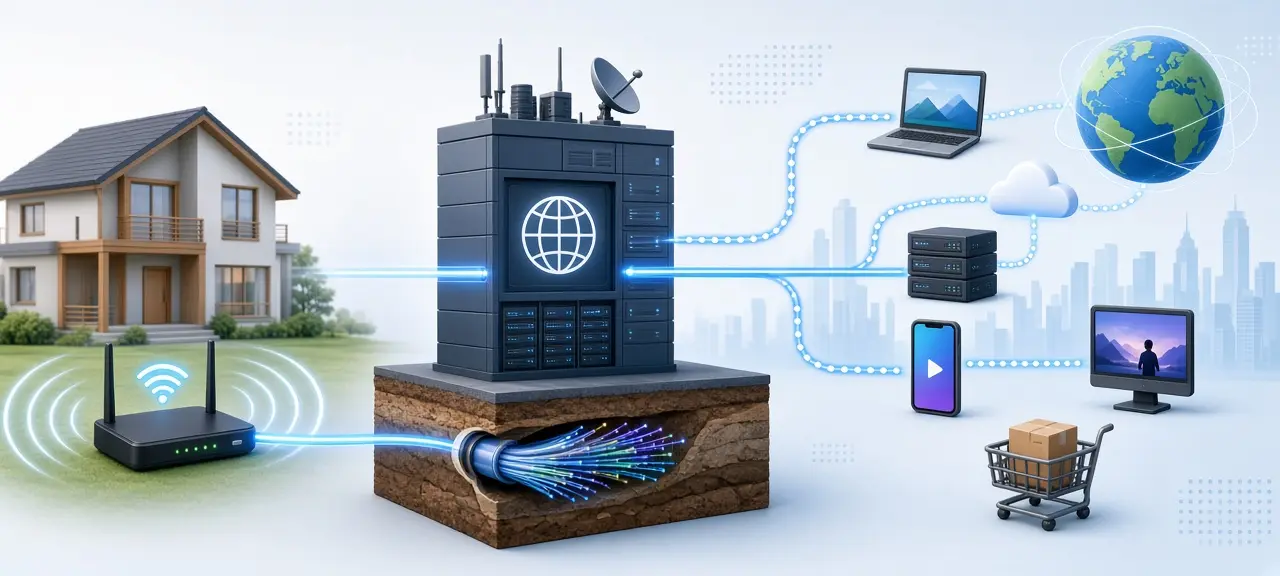
An ISP is the company that connects your home, office or phone to the internet: a fiber or cable broadband company, a DSL provider or a mobile carrier. That is the short answer to what is an ISP. Your ISP runs the line to you, gives your connection a public IP address and carries your traffic to every other network. The ISP meaning is the same in every country. It's the one network you pay so you can reach all the others, and every website you open sees its name next to your IP address.
What do internet service providers do?
Internet service providers do five jobs. They build the line to your home or phone, assign your connection a public IP address, answer your DNS lookups by default, route your traffic to other networks and fix the service when it breaks. One monthly bill covers all five, though most people only notice the first.
- The line and the box. The ISP runs fiber, coaxial cable, a phone line or a mobile signal to you and usually installs a modem at the end. See router vs modem for which box does what.
- A public IP address. Home plans usually get a dynamic address that can change. Some ISPs share one public IPv4 address among many customers with carrier-grade NAT, explained in public vs private IP.
- A default DNS resolver. Your router hands out the ISP's resolver, so the ISP answers when a device asks where example.com lives. Read what DNS is for that step.
- Routing. The ISP passes your traffic to other networks through peering and paid transit.
- Support and extras. Repairs and outage fixes come from the ISP. Many also bundle TV or a landline.
How does an ISP connect you to the internet?
An ISP carries each packet from your home router across its access network to its core network. From there it hands the packet to another network, either at an internet exchange point or through a transit provider it pays. The website's network delivers it to the server, and the reply comes back the same way.
The path is short: device, home router, modem, the ISP's access network (the fiber, cable or cell tower on your street), its core, then an internet exchange point (IXP) or a transit link, then the web server. Your public IP comes from the ISP's address block. That's why an IP lookup names the ISP and not you.
ISP tiers: Tier 1, Tier 2 and Tier 3
According to Wikipedia's article on Tier 1 networks, a Tier 1 network reaches every other network only through settlement-free peering, where neither side pays. A Tier 2 network peers for free with some networks but still buys IP transit. A Tier 3 network only buys transit or peering.
| Tier | Pays for transit? | Typical role |
|---|---|---|
| Tier 1 | No | Global backbone selling transit |
| Tier 2 | Partly | National or regional network |
| Tier 3 | Yes | Local provider selling home and business lines |
Home users buy from an access ISP. A tier is not a quality rating.
How ISPs use ASNs
Every ISP announces its IP blocks with BGP under one or more autonomous system numbers (ASNs). Cloudflare's learning center defines an autonomous system as a very large network with a single routing policy, written as AS plus digits, such as AS13335 for Cloudflare. So IP tools print "ISP" and "ASN" side by side, and you can look up any IP's ASN to see which network routes an address.
Types of ISPs
ISPs are grouped by the line that reaches you: fiber, cable, DSL, fixed wireless, satellite and mobile 4G or 5G. The line type decides your upload speed, the delay and how steady the connection stays at busy hours, so two plans with the same advertised speed can feel different.
| Type | How it reaches you | Watch out for |
|---|---|---|
| Fiber | Glass fiber to your home (FTTH) | Only where the provider has laid fiber |
| Cable | Coaxial TV cable (DOCSIS) | Neighbors share capacity; uploads are much slower than downloads |
| DSL | Copper phone line | Speed falls the farther you live from the exchange |
| Fixed wireless | Radio link from a tower to a roof antenna | Trees, hills and heavy rain weaken the link |
| Satellite | Dish to a geostationary or low Earth orbit satellite | Geostationary links add delay you notice in calls; low-orbit services such as Starlink cut it |
| Mobile 4G/5G | Cell towers to a phone or a SIM router | Speed depends on signal and tower load; many plans cap data |
Your mobile carrier is an ISP too. On mobile data, the carrier assigns your IP and routes the traffic. Turn on a personal hotspot and your laptop goes online through that carrier, so an IP check on the laptop shows the carrier's name.
ISP vs Wi-Fi
Your ISP and your Wi-Fi are two different things. Wi-Fi is the wireless network inside your home, broadcast by your router under a network name (SSID). Your ISP delivers internet to that router. You can have Wi-Fi with no internet when the ISP's line is down.
What can your ISP see?
Your ISP sees which IP addresses you connect to, when, and how much data moves, and it usually sees the domain names you visit. With HTTPS, which most websites now use, it can't see the pages you read, what you type into forms or your passwords. Messages in end-to-end encrypted apps stay hidden too.
| Your ISP can see | Your ISP cannot see (on HTTPS sites) |
|---|---|
| The IP address of every server you reach | The full page address you opened |
| When you connect and for how long | Page content, searches and form entries |
| How much data you send and receive | Passwords and card numbers |
| Domain names, through its DNS resolver and the SNI field of a secure connection | Messages in end-to-end encrypted apps |
What an ISP does with that data is a policy question. In an October 2021 staff report, the US Federal Trade Commission studied six large US mobile, cable and fiber providers. Two of them said they used web browsing information to target ads. Three combined data from their internet, voice and video services with data from other products.
Only your ISP can tie an IP and a time to a customer account. A website sees just the IP and the ISP's name. For how close that IP gets to your home, read can an IP address reveal your location.
HTTPS hides page content. Encrypted DNS (DNS over HTTPS or DNS over TLS) hides your lookups from the ISP's resolver. A VPN hides everything except your connection to the VPN server, and it moves that trust from your ISP to the VPN company.
How to find out who your ISP is
Open the CheckIP homepage to see your IP, ISP and ASN for your current connection. The ISP line names your provider, and the ASN identifies its network. To check another address, such as one from a login alert, paste it into CheckIP's IP Lookup. Your bill and the label on the modem show the name too.
Three things change the result. A VPN or proxy shows the VPN company's network. Mobile data shows your carrier. The name may also be a parent company or legal name, such as VNPT Corp for a VNPT line in Vietnam.
What is an ISP compared with a router, DNS provider or VPN?
An ISP sells you the connection itself. A router is hardware you own or rent, a DNS provider only turns names into addresses, and a hosting provider rents servers to websites. A VPN provider tunnels traffic that still travels over your ISP's line. A mobile virtual network operator sells SIM cards on another carrier's towers.
| Term | How it differs from an ISP |
|---|---|
| Modem or router | Equipment, often rented from the ISP, not the service |
| DNS provider | Answers name lookups; you can switch it without changing ISP |
| Hosting provider | Runs servers for websites, so a lookup on a site's IP shows the host |
| VPN provider | Needs your ISP's connection underneath to work |
| Mobile virtual network operator (MVNO) | Rents capacity from a carrier that owns the towers |
Frequently asked questions
What is an example of an ISP?
Any company that sells you a home line or a mobile data plan is an ISP. In the US, Comcast's Xfinity, Google Fiber and T-Mobile were among the six providers in the FTC's 2021 study. In Vietnam, Viettel, VNPT and FPT Telecom are common home ISPs.
My Wi-Fi is connected but there's no internet. Is it my ISP?
Check whether every device has the problem. If one laptop fails and the rest work, the fault is on that laptop. If all devices fail, including one plugged into the router by cable, restart the modem and look at its lights. A red line light or an outage notice from your provider points to the ISP.
Does my ISP assign my IP address?
Your ISP assigns the public IP, the one websites see. Inside your home, the router gives each device a private address such as 192.168.1.10 through DHCP. If you move to a different ISP, your public address comes from the new provider's block, and the ASN in an IP lookup changes with it.
Can I change my ISP's DNS?
Yes. Replace the DNS servers in your router or on one device with a public resolver, such as Google's 8.8.8.8 or Cloudflare's 1.1.1.1. Your ISP still carries the traffic and assigns your IP. Only name lookups move to the new resolver, and you can switch back whenever you like.
Why does an IP lookup show a different ISP name than my bill?
Bills use brand names, while IP databases list the company that registered the address block or runs the ASN. That can be a parent company, a legal entity or a wholesale network your provider rents from. A VPN, iCloud Private Relay or a work proxy also puts their network's name in place of your ISP's.





