

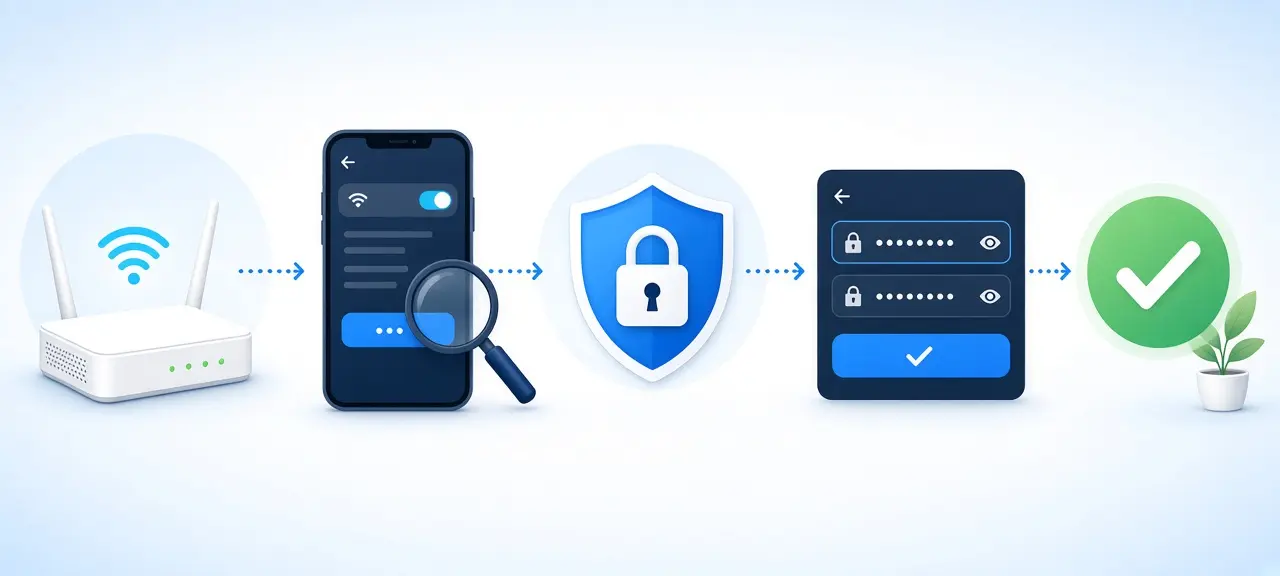
To change your FPT Wi-Fi password, open the Hi FPT app, sign in with the phone number on the FPT contract, go to the Wi-Fi section, pick your network, type the new password and save. Without the app, open 192.168.1.1 in a browser, sign in with the account on the modem label and edit the Wireless Security page. FPT's own modem guide sets the rule: at least 8 characters, case-sensitive. Once you save, every device drops off and must rejoin.
Change your FPT Wi-Fi password in the Hi FPT app
In Hi FPT, the password sits on the Wi-Fi management screen for each network. The app needs the phone number on the internet contract, because it texts a one-time code (OTP) to that number at sign-in, and some versions ask for a second code before saving.
The menus have moved several times. Vietnamese guides from 2018, 2022 and 2024 each describe a different path. The steps below follow the newest, Điện Máy Xanh's guide updated December 30, 2024. If your version shows other labels, tap the tab with the word Wi-Fi or Modem.
- Install or update Hi FPT. On Google Play it's listed as "Hi FPT - Internet, Hỗ trợ 24/7".
- Type the phone number on the FPT contract, then the OTP sent by text message. If that number holds more than one contract, pick the one for this address.
- On the home screen, tap Internet, then Quản lý Wi-Fi (Manage Wi-Fi).
- Tap the network you want to change. A dual-band modem lists a 2.4GHz and a 5GHz network.
- Enter the new password in the Mật khẩu Wi-Fi (Wi-Fi password) box. Some versions show a second box to type it again.
- Tap Lưu (Save). If the app asks for another OTP, enter it. A message that the Wi-Fi password was changed successfully means it's done.
Switch Hi FPT to English
Hi FPT's App Store listing names English and Vietnamese. On an iPhone, iOS puts a Language option under Settings, then Hi FPT, for apps that ship several languages. On Android, it depends on the app version. A screen still in Vietnamese? Point Google Lens at it.
Change the FPT Wi-Fi name at the same time
The Wi-Fi name is the network's SSID (here's what an SSID is). In the browser, FPT's guide gives it its own SSID page. In Hi FPT, look for a name box on the same network screen; if there isn't one, change the name at 192.168.1.1. A new name looks like a brand-new network to every device. Change the name and password together, so you only reconnect everything once.
Change it in a browser at 192.168.1.1 (Wireless Security)
In a browser, the FPT Wi-Fi password is on the Wireless Security page. FPT's setup guide for the CIG G-97D2 modem puts that page under Wireless Setup, next to the SSID page for the network name. The login account is printed on the label under the modem.
- Plug a laptop into a LAN port if you can. Over Wi-Fi, the page cuts out the moment you save.
- Open http://192.168.1.1 and sign in with the account on the label. No label? Call FPT on 1900 6600.
- Open Wireless Setup, then Wireless Security.
- Type the new password in the passphrase box and save the page. Vietnamese retail guides call the box Security Passphrase and the button Apply.
FPT's guide sets the rule: at least 8 characters, case-sensitive. Skip Vietnamese accented letters. Smart TVs, printers and cameras often have no way to type "ă" or "ơ" on their on-screen keyboards.
Not a G-97D2? Look for Wireless or WLAN, then Security, and a box called Passphrase, Pre-Shared Key or WPA key.
Change both bands, and check mesh or access point units
A dual-band FPT modem broadcasts two networks, 2.4GHz and 5GHz, and each one can have its own password. Change only one, and anyone who knew the old password stays on the other. In Hi FPT, open each network in turn; at 192.168.1.1, check the security page for a band selector or a second section.
FPT's 2021 article on its Mesh Wi-Fi AC1200H says every node shares one network name and password, so a change on the main modem or in Hi FPT reaches the whole mesh. An extra unit with a different Wi-Fi name runs its own network. Change it separately, as you would a router you bought and plugged in behind the FPT modem.
If you rent: when the FPT contract is in your landlord's name
If the FPT contract is in your landlord's name, Hi FPT sends its codes to the landlord's phone, so you can't finish the change yourself. Ask the landlord to do it, or to share access. Hi FPT 9.6.1 on Google Play added a way for the contract holder to let relatives manage the contract. The listing doesn't say whether that works for a tenant.
The browser route needs only the account on the modem label, so it works once the landlord agrees. In a shared house, warn the other rooms first. If your building runs on Viettel instead, here is how to change a Viettel Wi-Fi password.
FPT staff don't need your OTP to change your Wi-Fi. Don't read it out to anyone who calls claiming to be from FPT.
After the change: rejoin devices and confirm it worked
Saving the new password disconnects every device at once. Phones and laptops rejoin with the new password; cameras, TVs and smart plugs usually need their own app. Our guide on how to change your Wi-Fi password on any router covers those devices and QR sharing.
Three signs the change worked:
- A phone that remembered the network now asks for the password or says it's wrong.
- The old password fails on both the 2.4GHz and 5GHz networks.
- The connected device list shows only your devices. Hi FPT's App Store notes for version 9.3 added device detection with trusted and block marks. Here's how to see who is on your Wi-Fi and read that list.
FPT Wi-Fi password change problems
Most failed FPT Wi-Fi password changes come from the OTP, a password the modem rejects, or a second network nobody changed. Trouble opening 192.168.1.1 itself is a login problem, covered in the FPT router login guide.
| Problem | Likely cause | Fix |
|---|---|---|
| No OTP arrives | Your number isn't on the contract, or you picked the wrong contract | Use the contract holder's number, or ask them to share access |
| App or modem won't save the password | Under 8 characters, or it has accented letters | Use 8 or more plain letters and numbers |
| App can't reach the modem | Modem is off or offline | Check power and lights, then retry |
| Someone still gets on after the change | Only one band changed, or they use an extra unit with its own name | Change the other band and that unit |
| No app access and no label account | Contract in another name, label missing | Call FPT on 1900 6600 before anything else |
A factory reset is the last resort, because it also wipes the connection settings FPT's technician entered. Read how to reset your router and call FPT first. The hotline, 1900 6600, is listed on fpt.vn; English support isn't confirmed, so try the support request inside Hi FPT too.
Frequently asked questions
Can I change my FPT Wi-Fi password without the Hi FPT app?
Yes. Join the modem's network or plug in a cable, open 192.168.1.1 and sign in with the account on the label under the modem. The password is on the Wireless Security page. This route doesn't need a phone number or an OTP, which helps when the contract isn't in your name.
How many characters does an FPT Wi-Fi password need?
At least 8, and it's case-sensitive, according to FPT's G-97D2 guide. WPA2, the security standard most home Wi-Fi uses, allows passphrases of up to 63 characters. A password of 12 or more characters mixing words and numbers is far harder to guess than an 8-character one.
Can I change my FPT Wi-Fi password when I'm not at home?
Yes, in Hi FPT. The app talks to the modem through FPT's servers, so it works from any connection as long as the modem at home is powered on and online. The 192.168.1.1 page only works from inside your home network.
Will changing the password change my IP address?
No. The Wi-Fi password controls who can join your home network. Your public IP comes from FPT and usually changes only when the modem reconnects to FPT, for example after a restart or a power cut. Saving a new password doesn't do that by itself.





