A MAC address is a 48-bit hardware identifier that the maker gives each network adapter, such as the Wi-Fi chip, the Ethernet port or the Bluetooth radio. It's written as 12 hexadecimal characters, for example 00:00:5E:00:53:1A. So what is a MAC address for? Devices use it to deliver data inside one local network, while the IP address carries traffic across the internet. The MAC address never leaves your network, so no website can read it, CheckIP included, and you can only see the IP websites do see. Phones and laptops now often show each Wi-Fi network a private MAC instead.
What does a MAC address look like?
A MAC address is 6 bytes shown as 6 pairs of hex digits (0-9 and A-F). The first 3 bytes name the maker and the last 3 bytes name the adapter. The same address looks different depending on the system that prints it, but upper and lower case mean the same thing.
- Windows: 00-00-5E-00-53-1A
- macOS, Linux and Android: 00:00:5e:00:53:1a
- Cisco network gear: 0000.5e00.531a
The example comes from a block RFC 7042 reserves for documentation, so it points to no real device. Its 48 bits split like this:
| Part | Bits | Who sets it | Example |
|---|---|---|---|
| OUI (first 3 bytes) | 24 | IEEE assigns it to the maker | 00:00:5E |
| Device part (last 3 bytes) | 24 | The maker, one value per adapter | 00:53:1A |
Two bits in the first byte carry meaning. The I/G bit marks unicast (one device) or multicast (a group). The U/L bit marks a maker-assigned address or a "locally administered" one set by software. That second bit gives a quick check: if the second character is 2, 6, A or E, the address was set locally and is usually a private MAC. The guide to spotting unknown devices on your Wi-Fi uses the same trick. FF:FF:FF:FF:FF:FF is the broadcast address, sent to every device on the local network.
There's no "whois" for MAC addresses. A MAC address lookup means matching the first bytes against the IEEE Registration Authority's public list of assignments, which comes in three block sizes (MA-L, MA-M and MA-S). IEEE offers a "Search for an Assignment" tool and CSV downloads of each registry on its Registration Authority page. A private MAC returns no maker, because no maker issued it.
Windows calls it "Physical address," Ubuntu "Hardware Address" and iPhone "Wi-Fi Address." One computer often has several: one for Wi-Fi, one for Ethernet, one for Bluetooth, plus virtual adapters from VPN apps or virtual machines.
MAC address vs IP address
A MAC address identifies a network adapter inside one local network, and it works at Layer 2 (data link). An IP address identifies a device on a network, works at Layer 3 (network) and lets traffic cross the internet. Your router hands out IP addresses; MAC addresses come from the maker or, for private MACs, from your device.
| Feature | MAC address | IP address |
|---|---|---|
| What it identifies | One network adapter | One device on a network |
| Layer | Layer 2, data link | Layer 3, network |
| Who assigns it | The maker, or your device for a private MAC | Your router (DHCP) or your ISP |
| When it changes | Rarely; private MACs differ per network | On each new network, often on each lease |
| Who can see it | Devices on the same local network | Every site and service you connect to |
| Format | 48 bits, hex | IPv4 32 bits, IPv6 128 bits |
The two work together on every trip out of your network. Your laptop knows the router's IP, so it sends an ARP request asking which MAC holds it and gets back the MAC of the default gateway. Switches forward frames by looking up MAC addresses in a table. At each hop the router rewrites the source MAC, so by the time your request reaches a website, only your public IP is left. The other half of the table is covered in what an IP address is.
Early IPv6 built part of the address from the MAC (EUI-64); current systems use temporary IPv6 addresses instead. ARP has no authentication, which is the gap ARP spoofing abuses.
How to find your MAC address
To find your MAC address on Windows, open Command Prompt, run getmac /v or ipconfig /all, and read the "Physical Address" line. On a phone, open the details of your Wi-Fi network or the About screen. Pick the adapter you're actually using: the Wi-Fi MAC and the Ethernet MAC are different numbers. The steps below show only the MAC line; to find your IP address on any device, use the separate guide.
Windows 11 and 10
In Windows 11, go to Settings > Network & internet > Wi-Fi (or Ethernet) > Hardware properties and read "Physical address (MAC)." Faster: getmac /v lists each adapter by name with its MAC on one line. If random hardware addresses are on, the line shows the random address.
Mac (macOS)
Open System Settings > Wi-Fi, click Details next to your network, and look for the MAC address under the Hardware tab. Holding Option while clicking the Wi-Fi icon also shows it. In Terminal, ifconfig en0 | grep ether prints the address of en0, usually Wi-Fi on a MacBook. Since macOS Sequoia 15, the number in Details may be a private address.
What is a MAC address on iPhone and iPad?
An iPhone has two numbers worth knowing. Settings > General > About > Wi-Fi Address shows the hardware MAC. Settings > Wi-Fi > the info button next to a network > Private Wi-Fi Address shows the address that network sees. They differ because iOS gives each network its own private address. If an IT desk asks for your MAC, give the Private Wi-Fi Address for their network, since that's what their system records.
Android
Go to Settings > About phone and look for "Wi-Fi MAC address" (on Samsung it's under Status information). Your Wi-Fi network's details have a privacy or MAC address type setting, such as Randomized MAC or Device MAC (Phone MAC on Samsung). Wording differs by brand.
Linux and Chromebook
On Linux, run ip link and read the value after "link/ether" for each interface. Ubuntu shows it as "Hardware Address" in the Wi-Fi network details. On a Chromebook, check the details of the network in the Wi-Fi panel.
Smart TVs, game consoles, printers and the router
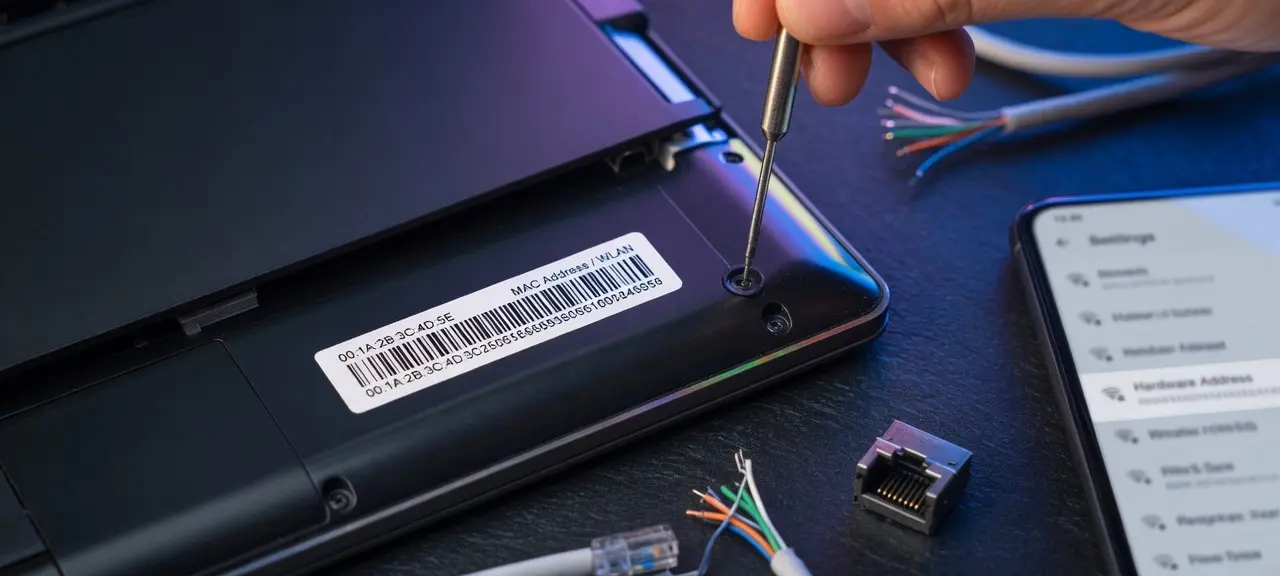
Most devices print the MAC on a label underneath. TVs and consoles show it in the Network or About menu, and many printers can print a network configuration page that lists it. Your router's admin page lists a MAC next to each connected device.
Find the MAC address of another device on your network
Run arp -a on Windows or macOS, or ip neigh on Linux. These commands list only devices your computer talked to recently, so the DHCP client list on the router is more complete. Do this only on a network you own or manage.
Private and random MAC addresses on phones and laptops
A private MAC address (also called a randomized MAC address) is a locally administered address your device uses in place of its hardware MAC, usually a different one for each Wi-Fi network. A fixed MAC lets hotspots and stores recognize the same phone from place to place. Apple says a fixed address "allows a kind of user tracking or profiling."
| Platform | Setting name | Default | When the address changes | Source |
|---|---|---|---|---|
| iPhone and iPad (iOS 18+), Apple Watch (watchOS 11+), Mac (macOS Sequoia 15+) | Private Wi-Fi Address: Off, Fixed or Rotating | Fixed on WPA2 or stronger; Rotating on weak or open networks | Rotating changes every 2 weeks. Resetting network settings gives a new address, and so does forgetting a network (unless you forgot it within the last 24 hours). | Apple Support article 102509, published December 5, 2025 |
| Android 10 and later | Randomized MAC (persistent) | On | Same for each saved network until a factory reset, even if you forget and re-add it. Android 12 adds a non-persistent mode for some networks that changes after 24 hours. | Android Open Source Project |
| Windows 11 and 10 | Random hardware addresses | Check your own device | Turn it on for all networks or per network under Manage known networks | Microsoft Support |
Keep private addresses on for public Wi-Fi. On your home network, switch them off for a device only when something depends on a stable MAC: an IP reservation in the router, an allow list, or parental controls set per device. On an iPhone, Fixed is enough; you don't need Off. Private MACs are also why your phone can look unknown in the router's list, and they don't change your public IP.
What is a MAC address used for?
A MAC address is used to deliver frames to the right adapter on a local network and to let the router recognize a device again.
- Local delivery: switches and ARP send each frame to the right adapter.
- DHCP reservation: the router always gives one MAC the same IP, handy for printers and cameras.
- Network registration: schools, offices and hotels may ask for a device's MAC before it can join.
- Device lists and parental controls: routers name, schedule or pause devices by MAC.
What is MAC address filtering?
MAC address filtering is a router setting that compares each device's MAC against a block list or an allow list. It's weak protection, because private MACs change per network and anyone with software can set a MAC by hand. A strong Wi-Fi password with WPA2 or WPA3 does the real work, and the guide on how to set up MAC filtering covers the steps. Some routers also have a MAC Clone option that reuses the old router's MAC when an ISP registered your line by MAC; ask the ISP first.
Can someone track you with your MAC address?
Not over the internet. Your MAC address stays inside your local network, and the router replaces it before traffic leaves, so websites, apps and advertisers see your IP address, not your MAC. Tracking by MAC needs someone on the same network or within Wi-Fi range of your device.
Inside a network it's different. The Wi-Fi owner's router sees every connected MAC, and before private addresses a phone searching for networks also exposed its hardware MAC to Wi-Fi equipment nearby. Software can change the address a device presents, so a MAC in a log is poor proof of identity. Leave private addresses on for public Wi-Fi and check your home device list now and then.
Frequently asked questions
Is a MAC address unique?
It's designed to be. IEEE gives each maker its own OUI, and the maker numbers every adapter inside that block, so two factory MACs shouldn't match. Software can still set any address, and private MACs are generated by the device. Treat a MAC as unique on your own network, not as a global guarantee.
Can a MAC address be changed?
The hardware MAC is stored on the network adapter and stays the same. What the operating system presents to a network can differ, and that's exactly what private Wi-Fi addresses on iPhone, Android and Windows do. If a network blocks your device, ask its owner instead of working around it.
Can CheckIP or any website see my MAC address?
No. A browser never sends your MAC address to websites, and the router swaps it out before your traffic reaches the internet. CheckIP's homepage shows your public IP address and your internet provider. A page that shows your MAC is reading it through software installed on your computer.
Does my router have a MAC address?
It has several. A home router has one for the WAN port facing your ISP, one for the LAN side and one for each Wi-Fi band. The MAC of each Wi-Fi radio is its BSSID, which lets your phone tell apart two access points with the same network name.
Does Bluetooth have a MAC address?
Yes. Bluetooth hardware has its own 48-bit device address, separate from the Wi-Fi MAC on the same phone or laptop. Your phone's About screen lists it on its own line, and Bluetooth Low Energy devices can also use random addresses.