
To log in to an AT&T router, connect to its Wi-Fi or an Ethernet port, open http://192.168.1.254 in a browser, and type the Device Access Code printed on the side of the gateway when the page asks. That is the whole AT&T router login. AT&T calls the box a Wi-Fi gateway, and the BGW320 is sold as the All-Fi Hub. For a new Wi-Fi name or password, AT&T's Smart Home Manager app does the same job from your phone. The Device Access Code is not your Wi-Fi password or your myAT&T password. Every AT&T detail here comes from AT&T's support pages, checked in November 2026.
How to log in to your AT&T router at 192.168.1.254
You log in to an AT&T router from a device on the gateway's own network. Open a browser, go to 192.168.1.254, and "enter the Device Access Code if prompted", as AT&T words it. AT&T's support pages ask only for this code and never mention a username.
- Join the AT&T gateway's Wi-Fi, or plug a computer into a LAN port. On a phone, turn off mobile data and any VPN.
- Type http://192.168.1.254 into the address bar, not the search box.
- The gateway settings page opens. AT&T's BGW210 guide calls it "All-Fi Hub settings".
- Make the change, type the Device Access Code when asked, and click Save. The at&t router login IP is the same on AT&T's fixed wireless gateway.
Where is the AT&T Device Access Code?
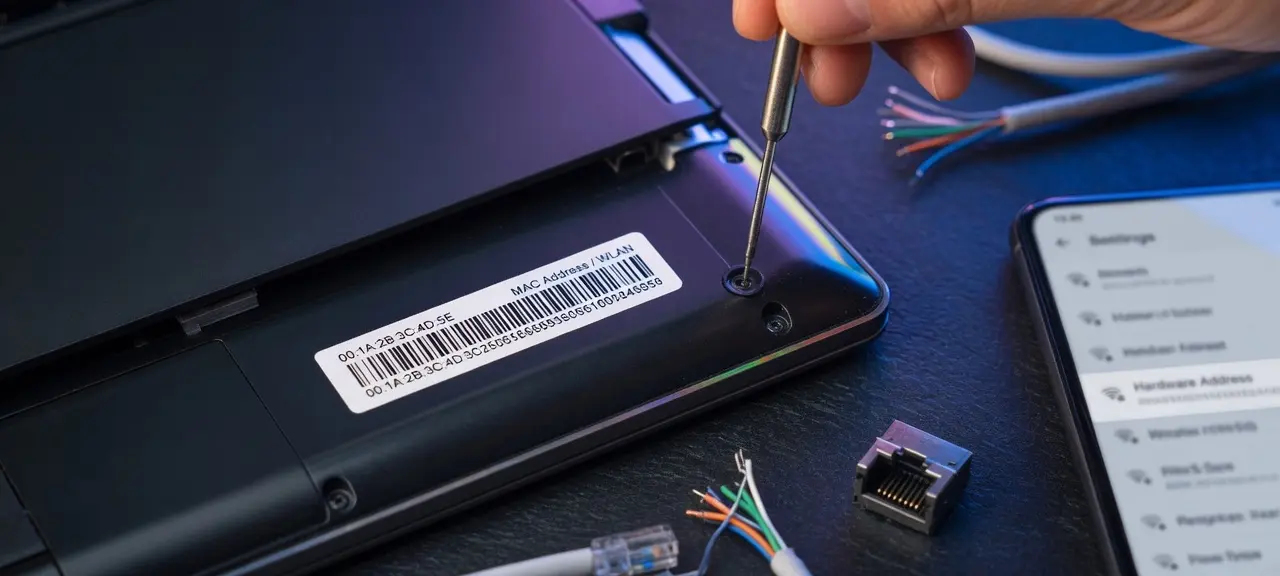
The Device Access Code is printed on the side of your AT&T gateway. AT&T's BGW210 page says it is "found on the side of your gateway". Each gateway has its own code. The sticker also shows the Wi-Fi name and password.
| Code or name | What it opens | Use it for |
|---|---|---|
| Wi-Fi network name | Nothing, it is the name devices see | Picking the right network |
| Wi-Fi password | The Wi-Fi network | Joining Wi-Fi |
| Device Access Code | Gateway settings at 192.168.1.254 | Saving protected settings |
| myAT&T password (not on the label) | Your AT&T account | Bills and plan; it does not open the gateway |
Change the Device Access Code
AT&T recommends it because "anyone connected to your network can use the default access code to lock you out or grant themselves privileges." On the fixed wireless gateway, the path is Settings, System Info, Access Code, then "Use a custom access code". AT&T's general page only says to change it at 192.168.1.254, so fiber gateway menus can differ.
Forgot the code you set?
A factory reset brings back the code on the label. AT&T says to hold the red Reset button for at least 15 seconds, then wait up to 10 minutes. The reset deletes custom Wi-Fi names, passwords and static IP addresses, so note them first. See restart vs factory reset before pressing anything.
Use Smart Home Manager instead of 192.168.1.254
Smart Home Manager is AT&T's app and website for home Wi-Fi, on the Apple App Store and Google Play. AT&T's Wi-Fi help page treats it as the first choice and 192.168.1.254 as the fallback.
To change the Wi-Fi name or password, scroll to the My Wi-Fi card, choose Change next to the name or password, clear the old entry, type the new one and select Save. Then reconnect every device. To restart, tap Network (the Wi-Fi icon), choose Restart Wi-Fi, then Restart.
AT&T says the app does not work with the 2Wire 2701, 2Wire i38, Netgear 7550, Westell 327 or Pace 4111. Use 192.168.1.254 on those.
| Task | Smart Home Manager | 192.168.1.254 |
|---|---|---|
| Change Wi-Fi name or password | Yes | Yes |
| Restart the gateway | Yes | Not on AT&T's page; unplug power for 20 seconds |
| Change the Device Access Code | Not listed by AT&T | Yes |
| Port forwarding, MAC filtering | Not listed by AT&T | Yes (BGW210 guide) |
AT&T gateway models and the router IP address
The att router ip address is 192.168.1.254, which is also the default gateway your devices use on AT&T Wi-Fi. AT&T's pages for the BGW210, the fixed wireless gateway, Motorola NVG and 2Wire/Pace models all point there.
AT&T's restart and reset page, updated October 5, 2026, lists these gateways as compatible with Smart Home Manager:
- BGW720, BGW620, BGW320, BGW210, BGW830, BGW530 and CGW450
- NVG599 and NVG589
- Pace 5268AC, Pace 5168 and Pace 5031NV
- 2Wire 3600HGV, 2Wire 3801HGV and 2Wire 3800HGV-B
The list does not say which models AT&T installs today. If 192.168.1.254 doesn't open, the address was changed or your device sits behind your own router. Find your default gateway to see the real address.
Using your own router behind an AT&T gateway
AT&T's small business help page uses IP Passthrough on Motorola NVG510 and NVG589 gateways: Firewall, IP Passthrough, Allocation Mode set to Passthrough, then save and restart. 2Wire/Pace models use DMZplus under Settings, Firewall. AT&T warns that only one device can be in passthrough mode, and it loses the gateway's firewall protection. The page does not cover BGW models.
Can't open the AT&T router login page?
When the AT&T router login page won't load, check the address, then whether your device is on the gateway's network, then whether the Device Access Code was changed. Reset is the last step.
| Problem | Fix |
|---|---|
| Typed 192.168.l.254 (letter l), http//192.168.1.254, www.192.168.1.254 or 192.168.1.254.254 | Type 192.168.1.254 exactly; the third number is the digit 1 |
| Mobile data, VPN, or your own mesh router | Join the AT&T gateway's Wi-Fi or use Ethernet |
| Device Access Code rejected | Someone set a custom code; ask them, reset only as a last resort |
| Smart Home Manager can't manage the gateway | The model may be on AT&T's unsupported list |
Certificate warnings and other problems that hit every brand are in our router login fixes for any brand.
Red light on your AT&T gateway: what it means
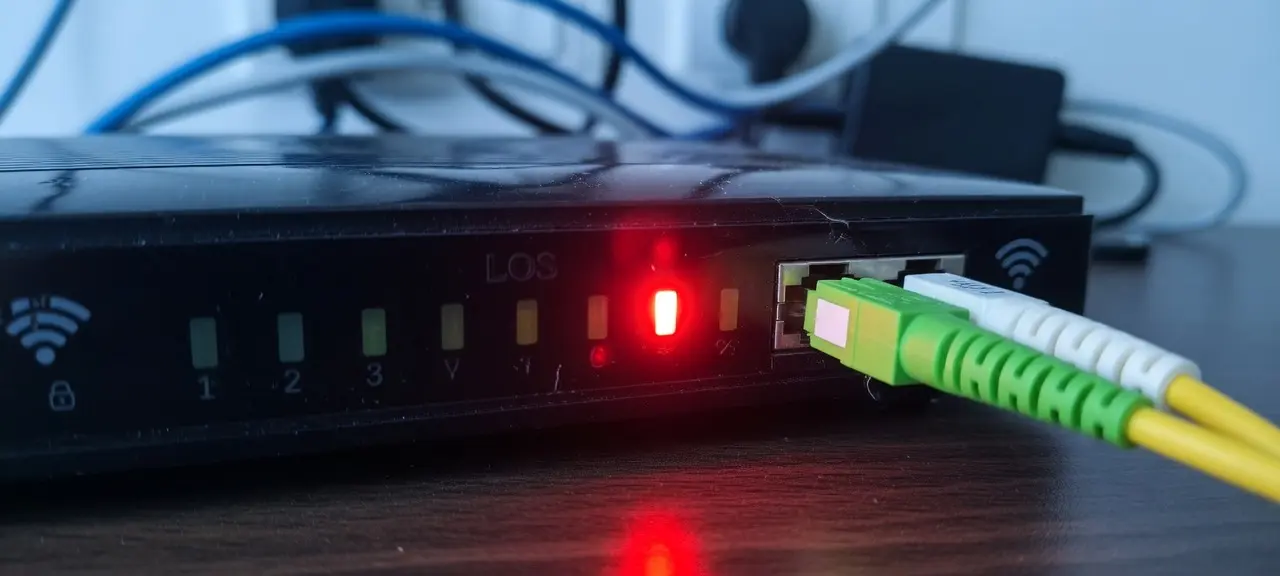
A red light on an AT&T gateway means a problem with the line, the network service or the hardware. Logging in won't fix it. Note which light is red and whether it is solid or blinking, then match it with AT&T's guide for the BGW210 or BGW320.
| Light | Red state | What AT&T says |
|---|---|---|
| BGW210 Broadband | Solid | No signal on a line |
| BGW210 Broadband | Flashing | Signal detected, connection not established |
| BGW320 Service | Slow blinking | No broadband connection; check for a loose or damaged cable |
| BGW320 Service | Fast blinking | Network service issue that may need AT&T; reboot, check for an outage |
| BGW320 Service | Solid, WPS off | Overheating; move it to a flat, open surface, not carpet |
| BGW320 Service | Solid, WPS solid red | Hardware issue; replacement if a reboot doesn't help |
AT&T's All-Fi Hub page, updated October 13, 2026, calls the BGW320 light Status and gives similar meanings for solid and slow blinking red. Check for an outage in Smart Home Manager or myAT&T before contacting AT&T. On fiber, no signal is the same idea as a red LOS light on a modem. For other models, open that gateway's light guide on att.com.
Frequently asked questions
What is the default password for an AT&T router?
There is no single default password. Each AT&T gateway has its own Device Access Code and Wi-Fi password, both printed on its label. CheckIP does not publish them. If the printed code no longer works, someone set a custom one, and a factory reset brings it back.
Is the Device Access Code the same as the Wi-Fi password?
No. The Wi-Fi password lets phones and laptops join the network. The Device Access Code unlocks protected settings at 192.168.1.254. Both sit on the same label, so people mix them up. Typing the Wi-Fi password where the page asks for the code will fail.
Can I log in to my AT&T router from my phone?
Yes. Connect the phone to the AT&T gateway's Wi-Fi, turn off mobile data, and open 192.168.1.254 in its browser. For Wi-Fi name and password changes, the Smart Home Manager app on iPhone or Android is easier, since AT&T's steps there need no gateway address.
Is 192.168.1.254 my IP address?
No. 192.168.1.254 is the private address of your gateway inside your home, and other AT&T homes can use the same number. Websites see the public IP AT&T assigns to your connection. Check your public IP and provider on our home page.
Does resetting the AT&T gateway change the Device Access Code?
Yes, if you had set a custom code. A factory reset restores default settings, so the code on the label works again. The same reset erases custom Wi-Fi names and passwords, so every device has to reconnect afterward with the Wi-Fi details printed on the label.