

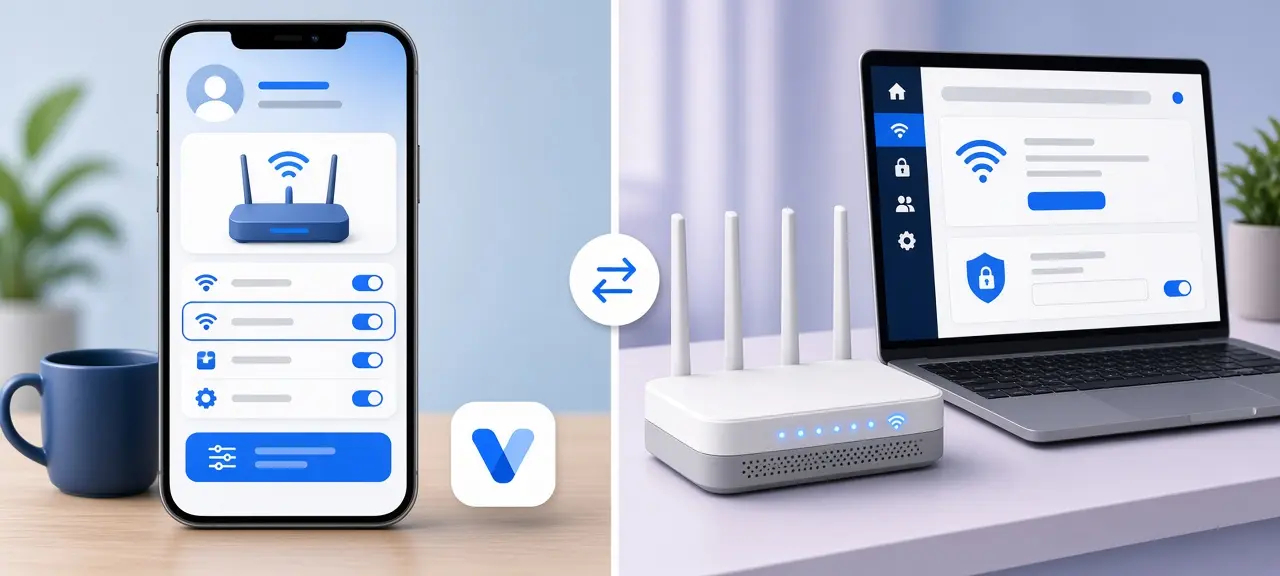
You can change VNPT Wi-Fi password settings from your phone in the My VNPT app: tap Viễn thông (Telecom), then Internet, then Modem Wifi, pick your network under Cài đặt Wifi (Wi-Fi settings), type a new password and tap Lưu (Save). Without the app, sign in to the modem at 192.168.1.1 with the account printed on its label. The app only finds your modem when it's signed in to the number that holds the VNPT internet service. In many rentals, that's the landlord's number. Every device drops off when you save and has to rejoin. Trouble opening the admin page is covered in our VNPT router login guide.
Before you start: what you need
You need either My VNPT signed in to the phone number on the internet contract, or a device connected to the modem plus the admin login from its label. You also need a new password of 8 to 63 characters with no Vietnamese accent marks, and a list of cameras, TVs and smart plugs to reconnect.
Renting? Ask the landlord first. If the contract is in their name, do it together on their phone.
Change your VNPT Wi-Fi password in the My VNPT app
The My VNPT app wifi password screen sits four menus deep. My VNPT is VNPT's official app, published by VNPT MEDIA. VNPT's Ho Chi Minh City customer care site, 18001166.vn, says the account in the app must be a subscriber that uses VNPT Internet. Otherwise Internet never appears under Dịch vụ của tôi (My services).
- Open My VNPT and sign in.
- On the home screen, tap Viễn thông (Telecom).
- Under Dịch vụ của tôi (My services), tap Internet.
- Under Thiết bị của tôi (My devices), tap Modem Wifi.
- Under Cài đặt Wifi (Wi-Fi settings), tap the network name.
- Tap Đổi mật khẩu Wifi (Change Wi-Fi password). VNPT's Digishop guide shows this as a pencil icon at the end of the Mật khẩu (Password) box.
- Type the new password and tap Lưu (Save).
Tắt wifi (Turn off Wi-Fi) is on the same screen and switches that network off for everyone. That's how to change VNPT Wi-Fi password on phone, with no computer needed.
Two network names? Change both
A dual-band modem can broadcast two names, one on 2.4 GHz and one on 5 GHz. If Cài đặt Wifi lists two, change the password on each. Skip one and that band still takes the old password. Our page on Wi-Fi network names (SSID) explains why one modem shows two.
Change the Wi-Fi name on the same screen
For a VNPT wifi name change, tap Đổi tên Wifi (Change Wi-Fi name). Skip names that give away your room number or phone number. Devices treat a new name as a new network, so rename and change the password together and reconnect once.
If the app says "Không tìm được thiết bị"
"Không tìm được thiết bị. Vui lòng liên hệ hỗ trợ" means "device not found, please contact support." VNPT's guide says to call 18001166. Before you call, check that the app is signed in with the number on the internet contract.
Change your VNPT Wi-Fi password at 192.168.1.1
Use the modem's web page when you don't have My VNPT for the contract, or when the contract holder lets you manage the modem. For a VNPT 192.168.1.1 change password job, VNPT's Digishop guide gives 192.168.1.1 or 192.168.0.1, depending on the modem, and a box called WPA/WAPI passphrase.
- Join the modem's Wi-Fi, or plug a laptop into a LAN port. A cable won't drop when you save.
- Type 192.168.1.1 (or 192.168.0.1) in the browser's address bar.
- Sign in with the Username and Password on the modem label.
- Go to Network Settings, then Wireless, then Security.
- Type the new password in WPA/WAPI passphrase. "Click here to display" shows what you typed.
- Click Apply/Save.
Menu names vary by modem: look for Wireless, WLAN or Wi-Fi, with the password box next to the network name. If the label account is rejected, call 18001166.
Set security to WPA2-PSK (AES), or WPA2/WPA3 if listed. Length and randomness are in our guide to pick a strong Wi-Fi password. Leave the WAN and Internet pages alone: customer accounts usually can't edit them, and a wrong change cuts the connection.
Where to find your current VNPT Wi-Fi password
If nobody has changed it, your VNPT wifi password is printed on the modem label, on the lines for the Wi-Fi name and Wi-Fi password. If it was changed, open the modem's Wi-Fi security page and use "Click here to display", or share it from a phone that's already connected.
The label's other Username and Password open 192.168.1.1. They don't join the Wi-Fi.
VNPT Wi-Fi password vs VNPT router (admin) password
The Wi-Fi password lets phones join your network. The VNPT router password, the admin one, opens the 192.168.1.1 page. They are separate, so changing one leaves the other as it was. Anyone holding the modem can read the admin password off the label, so change it too, using the VNPT router login guide above.
Vietnamese words on the Wi-Fi password screen
My VNPT shows its Wi-Fi buttons in Vietnamese. This table lists the labels on the Wi-Fi password screen as written in VNPT's own guides on 18001166.vn and Digishop, with their English meaning. Menu names leading to this screen are in the app steps above.
| Vietnamese | English |
|---|---|
| Cài đặt Wifi | Wi-Fi settings |
| Đổi mật khẩu Wifi | Change Wi-Fi password |
| Đổi tên Wifi | Change Wi-Fi name |
| Tắt wifi | Turn off Wi-Fi |
| Mật khẩu | Password |
| Lưu | Save |
| Không tìm được thiết bị | Device not found |
After you change your VNPT Wi-Fi password
After the change, every device that used the old password drops off the network. Phones and laptops ask for the new one. Cameras, smart plugs and TVs go offline until you run their Wi-Fi setup again in their own app or settings menu.
- On phones and laptops, tap Forget this network, then join again.
- Send the new password to housemates and, if you rent, the landlord.
- Check the device list for strangers. Our guide to see who is on your Wi-Fi shows how to match each entry.
Your public IP address stays the same. VNPT assigns it to the modem, not to the Wi-Fi password. The steps differ on Viettel modems, so see how to change your Viettel Wi-Fi password there. FPT modems use different menus, so follow the steps to change your FPT Wi-Fi password.
VNPT Wi-Fi password change not working? Fixes
Most failed VNPT Wi-Fi password changes come from a password the modem rejects, an app signed in to the wrong number, or a second band or mesh unit still on the old password. The table covers these cases; login errors at 192.168.1.1 are in the VNPT router login guide.
| Problem | Likely cause | Fix |
|---|---|---|
| Lưu (Save) shows an error | Under 8 characters, or accent marks | Use 8 to 63 plain characters |
| No Modem Wifi in the app | Number without the internet service | Sign in with the contract holder's number, or call 18001166 |
| "Không tìm được thiết bị" | App finds no modem on the account | Call 18001166 |
| Old password still works | One band left, or a mesh unit or second router has its own name | Change every network name in the house |
| Phone says wrong password | Old password saved | Forget the network, join again |
| Wi-Fi up, no internet after a reset | Reset erased VNPT's settings | Call VNPT; read this before you reset your router |
Frequently asked questions
Can I change my VNPT Wi-Fi password without the landlord?
Only if you're allowed to manage the network. My VNPT needs the contract holder's number, which in most rentals is the landlord's. The browser method needs only the label account, but the modem and contract still belong to the landlord. Ask first, and give them the new password.
Can I change it when I'm not at home?
Yes, with My VNPT, since it reaches the modem through your VNPT account. The 192.168.1.1 page opens only on a device connected to the modem by Wi-Fi or cable, so that method needs you at home.
Will VNPT change the Wi-Fi password for me?
Call 18001166, VNPT's free internet line, and ask. Have the contract holder's name and phone number ready, because the service is in their name. If you don't speak Vietnamese, ask a Vietnamese-speaking friend or your landlord to join the call.





