

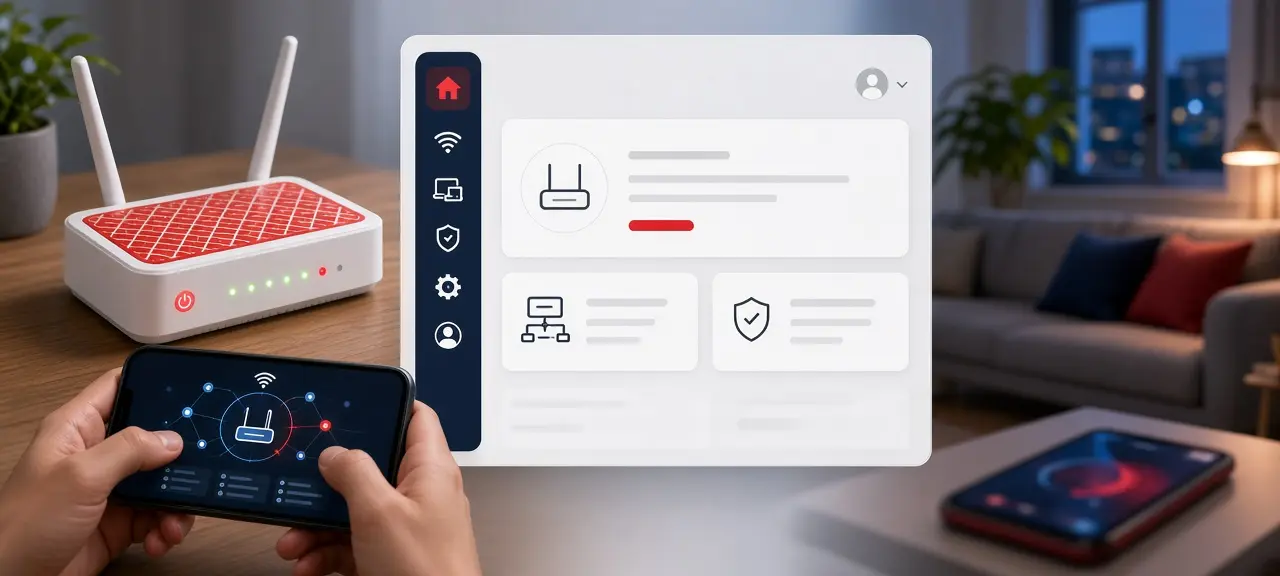
To log in to a Viettel router, connect to its Wi-Fi, type the address printed on the modem's label (usually 192.168.1.1) into your browser, and sign in with the username and password on that same label. That is the whole Viettel router login. If you only want to change the Wi-Fi password or restart the modem, Viettel's website can do it without the admin page. Also new: the My Viettel app closed on October 1, 2026, and its services moved to the Viettel Tammi app. Browser warnings and address typos are covered in our general guide to log in to your router.
Viettel router login in 4 steps
A Viettel wifi router login takes four steps and about a minute, on a phone or a laptop. Most Viettel modems use 192.168.1.1, but the label is the final answer. Viettel doesn't publish one address for every model.
- Join the modem's Wi-Fi, or plug a laptop into one of its LAN ports.
- Turn off your VPN and open a browser.
- Type the address from the label into the address bar, not the search box.
- Enter the username and password printed on the label.
Page won't load? Find your default gateway; that is the right address. Only log in to a modem you're allowed to manage. If you rent, ask your landlord before you change the Wi-Fi or reset anything.
Where to find the Viettel admin password
The Viettel router login password is printed on the label under or behind the modem, next to the admin username. The same sticker shows the Wi-Fi name (SSID) and Wi-Fi password. Those only get devices online. They don't open the settings page.
There is no single password for every Viettel modem. Viettel has installed several generations of modems, and a technician can change the account during setup, so "default Viettel password" tables online are often wrong. We don't repeat them.
Label missing, or the password fails? Ask your landlord, or call 18008119, the fixed-line customer care number on viettel.vn. Some settings, such as WAN and bridge mode, are locked for the customer account. Viettel technicians manage them.
Manage your Viettel Wi-Fi on viettel.vn (no admin page needed)
Viettel has a Wi-Fi manager at viettel.vn/quan-ly-wifi, called "Quản lý modem wifi" (Manage Wi-Fi modem). After you sign in with a viettel.vn account linked to the internet contract, the page is built to show your modem's details, restart it, change Wi-Fi passwords and turn each network on or off. No label or 192.168.1.1 needed.
It also tells you which modem you have: the page lists the model and manufacturer. The page is in Vietnamese. These are the labels viettel.vn uses for it; your screen may differ a little.
| Vietnamese label | English meaning |
|---|---|
| Số serial | Serial number |
| Loại modem | Modem model |
| Nhà sản xuất | Manufacturer |
| Khởi động lại modem | Restart modem |
| Tên wifi | Wi-Fi name |
| Trạng thái: Đang bật | Status: On |
| Đổi mật khẩu | Change password |
| Lấy lại thông tin | Reload info |
A restart keeps your Wi-Fi and internet settings. If you see "Không lấy được thông tin thiết bị" (could not load device info), tap Lấy lại thông tin, then call 18008119 if it still fails. Tips for a strong new password are in how to change your Wi-Fi password. Screen-by-screen steps, including the 192.168.1.1 route, are in our guide to change your Viettel Wi-Fi password.
My Viettel is now Viettel Tammi
The My Viettel app closed on October 1, 2026. Its Google Play listing, from Viettel Media, says the app "khép lại vào 01/10/2026" (closes on October 1, 2026) and that its services move to Viettel Tammi. The same listing says Tammi handles mobile, home internet and TV under one account.
Older guides that change Wi-Fi inside My Viettel no longer work. On October 12, 2026, Tammi's App Store description didn't mention Wi-Fi or modem settings, and we haven't confirmed such a menu in the app. Use viettel.vn for Wi-Fi changes for now.
Tammi is in Vietnamese only, per its App Store page. Tammi and viettel.vn both need the contract holder's account, so renters may need the landlord to sign in, or can use the label and 192.168.1.1.
Viettel modem or Homewifi unit: which one are you on?
Your phone may be connected to a Viettel Homewifi unit, not the fiber modem. Viettel sells Homewifi as a mesh Wi-Fi set of 2 to 3 units, according to viettel.vn. The admin account on the label belongs to the fiber modem, the box with the fiber cable plugged in.
When a mesh unit runs as an access point, your default gateway is still the main modem. Only a unit in router mode has its own address and login page. If 192.168.1.1 opens a page you don't recognize, join the Wi-Fi name on the modem's label or plug a cable into the modem. Your own router behind the Viettel modem is a double NAT setup, covered in the general guide.
Viettel router login problems and fixes
Most Viettel login problems come from a password someone already changed, a customer account with locked menus, or the closed My Viettel app. General issues, like a page that won't load on mobile data, are in the general guide. The table below covers only Viettel cases.
| Problem | Likely cause | Fix |
|---|---|---|
| "Incorrect password" with the label details | The technician, landlord or a previous tenant changed it | Ask your landlord, or call 18008119 |
| No WAN or bridge menus | Customer account is limited | Ask Viettel to change them |
| My Viettel won't open | The app closed on October 1, 2026 | Use viettel.vn, or Viettel Tammi |
| viettel.vn can't load device info | The site can't reach your modem | Tap Lấy lại thông tin, then call 18008119 |
| Wi-Fi works, no internet after a reset | The reset erased Viettel's internet settings | Call Viettel to set it up again |
| Red LOS light | Fault on the fiber line | Call Viettel; logging in won't fix it |
Guides for "reset modem Viettel" often say to press the reset button. Call first. A reset wipes the settings Viettel installed; for a simple restart, use the button on viettel.vn. Our guide on how to reset a router explains when a restart is enough.
What to check after you log in
After a Viettel modem login, change the admin password from the label first, since anyone near the modem can read it. Then test the line and compare IP addresses to find where a problem starts: the modem, the Wi-Fi or Viettel's network.
- Check the connected devices list for phones or laptops you don't recognize.
- Run a speed test over Wi-Fi and over a cable. Slow only on Wi-Fi points to the modem or where it sits.
- Compare the modem's WAN IP with the IP on the CheckIP home page. If they differ, you're likely behind carrier-grade NAT, as our page on public vs private IP explains. Behind carrier-grade NAT, port forwarding on the modem won't reach you from the internet.
Frequently asked questions
What is the default Viettel router IP address?
Most Viettel modems use 192.168.1.1, but Viettel doesn't publish one address for every model. Your modem's label is the reliable source. If the label is gone, use the gateway (router) address in your phone's Wi-Fi details. That is the address of the box your phone is connected to.
What is the default Viettel router password?
There isn't a shared one. Each Viettel modem has its own admin account on its label, and an installer may have changed it. Lists of one Viettel password online give no official source. If the label is missing or the password fails, call 18008119.
Does the My Viettel app still work?
No. According to its Google Play listing, My Viettel closed on October 1, 2026, and its services moved to Viettel Tammi. For Wi-Fi changes, use the Quản lý modem wifi page on viettel.vn in your phone's browser, signed in with the account linked to the internet contract.
Is the Viettel Tammi app in English?
Not according to its App Store page, which listed Vietnamese as the only language on October 12, 2026. Google Lens or your camera's translate feature can read the screens. Machine translation sometimes gets button names wrong, so check before you confirm a change.
What is Viettel's internet support number?
Viettel lists 18008119 for fixed-line customer care, which covers home internet, and 18008098 for mobile, both on viettel.vn. Have the contract holder's name and phone number ready. We couldn't confirm English support, so bring a Vietnamese speaker if you can.





